93
1
3
5
2
4
6
7
8
12
14
13
9
10
11
77 ApplicationsApplications
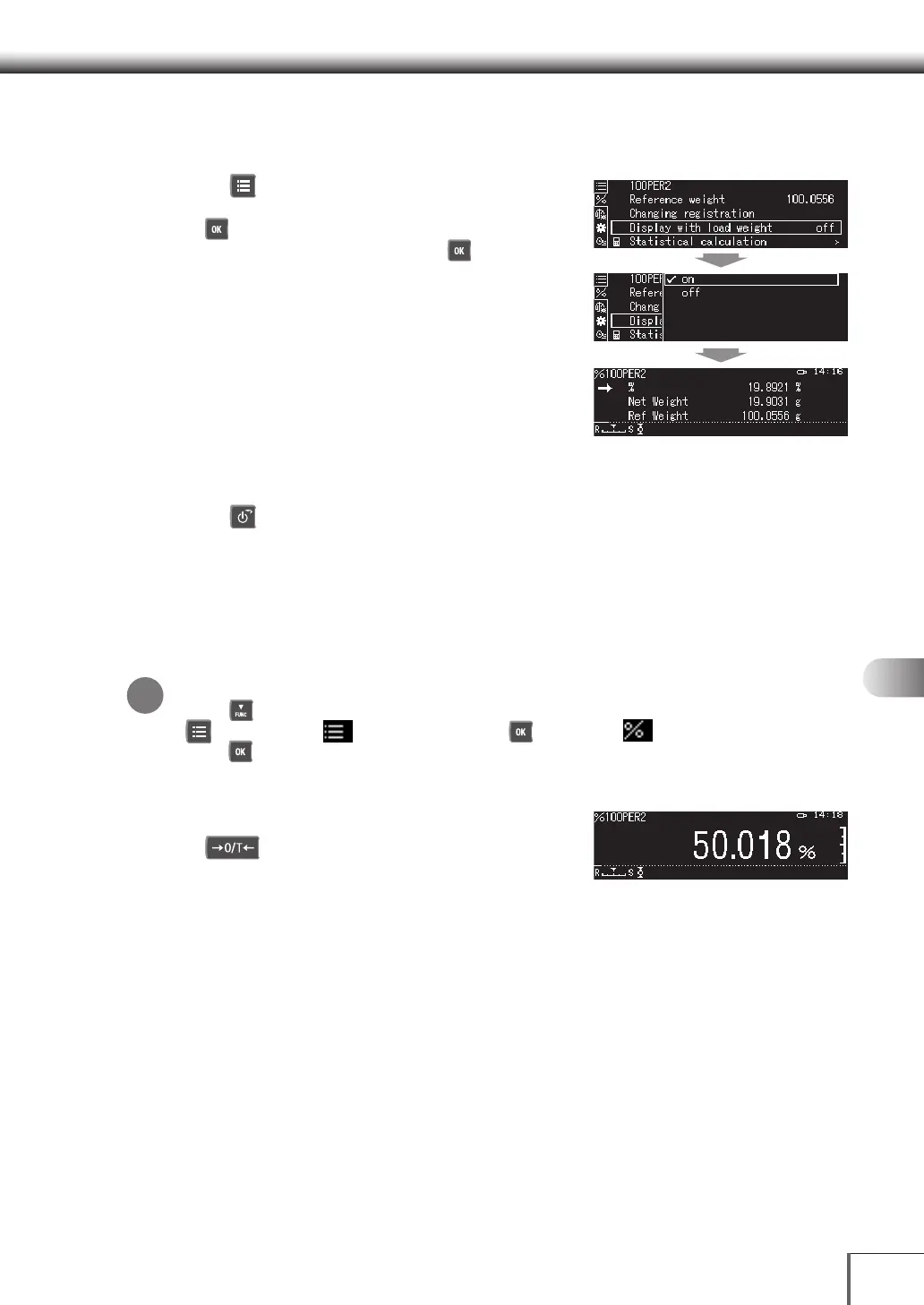
Set the simultaneous display for the load weight value
1. Set the simultaneous display for the load weight value
Press [ MENU].
(1) Select [Display with load weight], and then press
[ OK].
(2) Select [on] or [off], and then press [ OK].
2. Return to the weight measurement mode
Press [ POWER].
Measuring Percentages
Measures the percentage value of the sample with the preset reference value.
^ [Preparing for Percent measurements] (P.92)
1. Set the Percent measurement mode
Returning to the Standard measurement Mode
Press [ DOWN]. If the balance still does not return to the Percent measurement mode, press
[ MENU], select [
Select Mode], press [ OK], Select [
Percent measurement
],
press [ OK], select standard weight, and then press [OK].
2. Measure the sample
(1) Place a container on the pan, and then press
[ 0/T].
(2) Place the sample in the container.
A percentage value calculated with the preset
standard percentage will be displayed.
*










 To Next Page