94
77 ApplicationsApplications
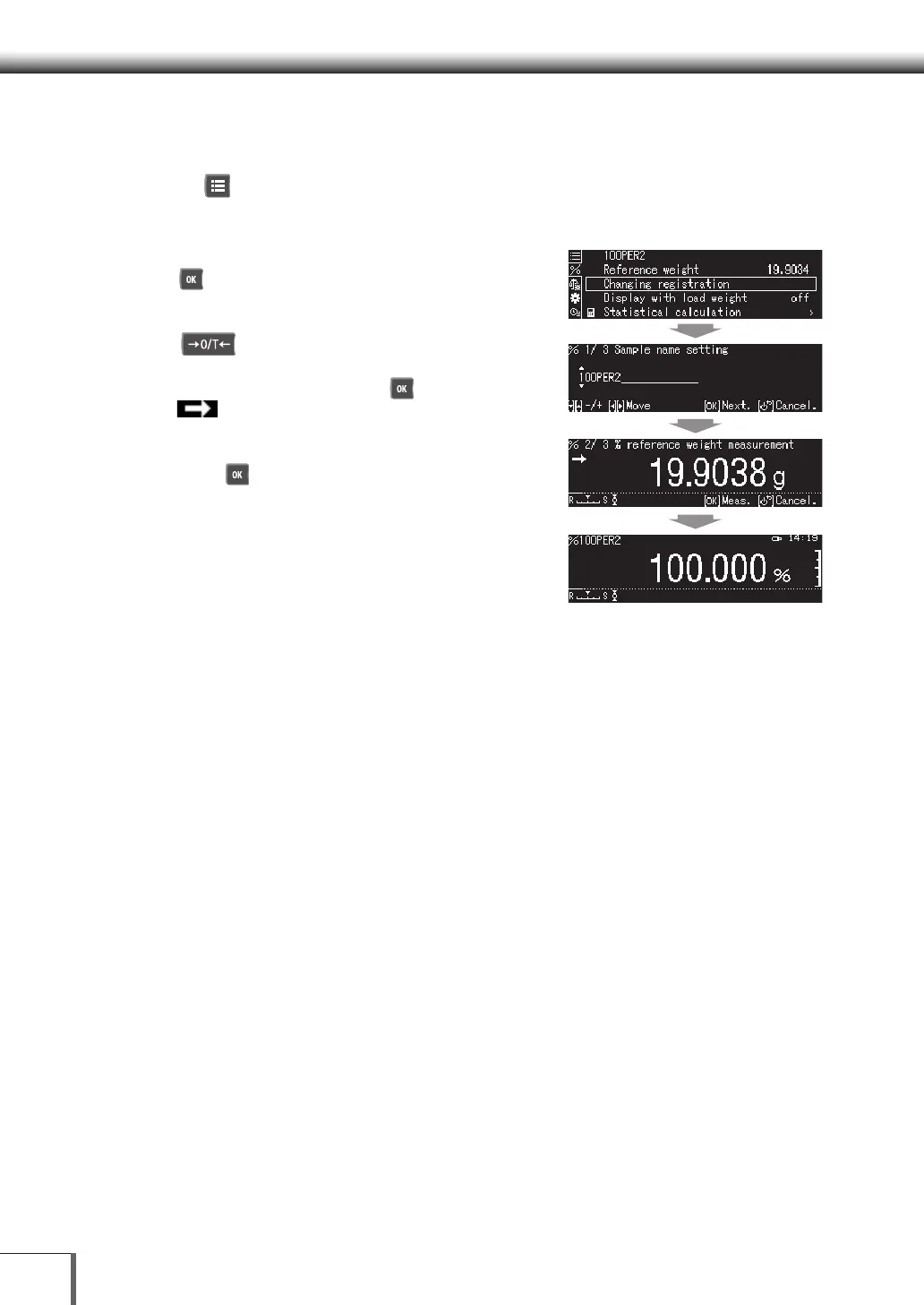
Changing the Percent measurement Sample Settings
1. Start Percent measurement mode setting
Press [ MENU].
2. Set the standard weight and reference value
(1) Select [Changing registration], and then press
[ OK].
(2) Enter the sample name.
(3) Place the container on the pan, and then press
[ O/T].
(4) Place the sample in the container.
(5) Weigh the sample, and press [ OK] when the
[ Stability Mark] is displayed.
(6) The standard sample will be registered and the
registered details will be displayed.
(7) Press [ OK] to display the percentage
calculated at the calculated percentage.










 To Next Page