3.2 System Administration Tool
3.2.4 Security
TOC-V Administrator’s Manual
22
3.2.4 Security
The Security function is used to make software security-related changes. This function
ensures compliance with FDA 21 CFR Part 11 and can only be used by users having
Security Settings access rights.
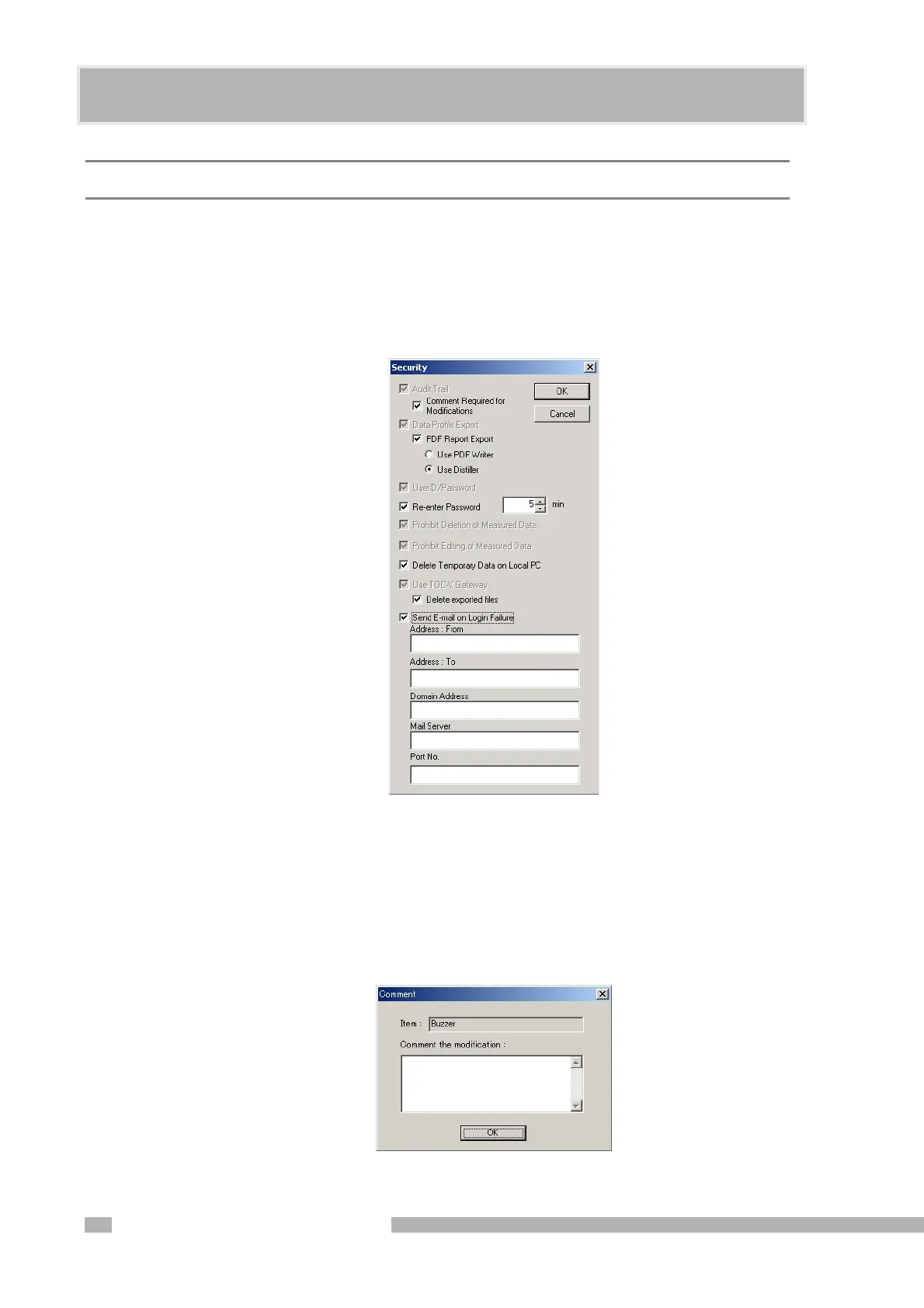
Select Security in the TOC-Control V System Administration Tool window to open the
Security dialog box.
Figure 3.10 Security Dialog Box
Audit Trail
Select this item to save the operation history in a MSDE format database. If this item is
selected at installation, it cannot be changed thereafter.
Select “Comment Required for Modifications” box to require mandatory comment
entry for the audit trail. This item is only displayed if Audit Trail is selected.
Figure 3.11 Comment Dialog Box










 To Next Page