Overview of the ShoreTel IP Phone 480/480g Getting Started
1
ShoreTel IP Phone 480/480g User Guide 9
Overview of the ShoreTel IP Phone 480/480g
Welcome to your ShoreTel™ IP phone!
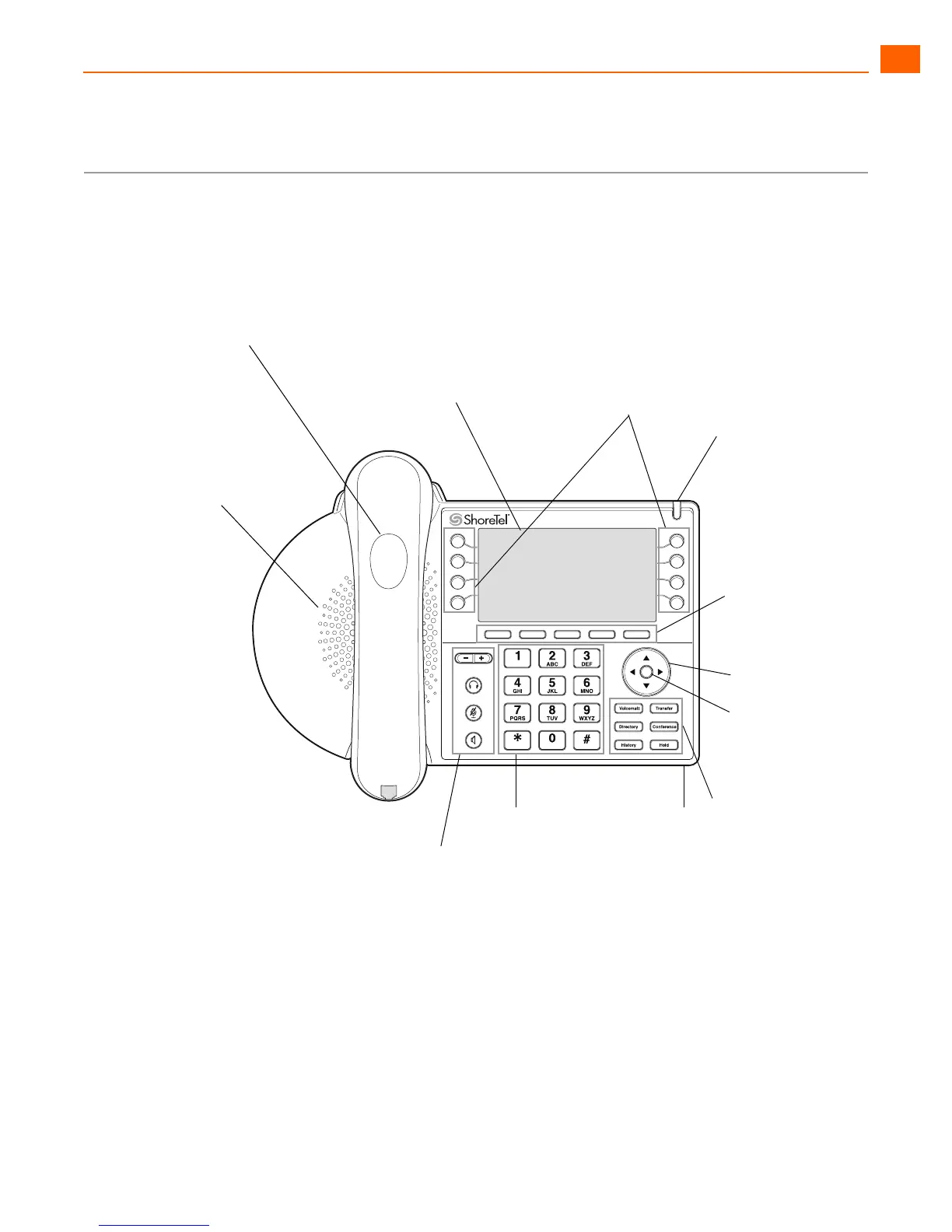
Figure 1 provides an overview of the IP480/480g phone components. Figure 2 on page 10 shows the
ports on the back of the phone.
Figure 1: ShoreTel IP Phone 480/480g Components
Handset with
finger rest
Speaker
Delivers high-quality,
wideband sound
Audio Control Keys
Volume button controls handset,
headset, speaker, and ring volume.
Headset, Mute, and Speaker buttons
are illuminated when functions are
active.
Programmable
call appearance buttons
Eight custom buttons with tri-color
LED indicators show active, incoming,
and on-hold calls. They can also be
configured as monitored extensions,
speed dial keys, or other functions.
Function Keys
Perform core telephony
functions: Voicemail,
Directory, History,
Transfer, Conference,
and Hold.
Dial Pad
Navigation key
pad and
selector button
Select options in
the interface.
Microphone
Indicator LED
Flashing light alerts
you to incoming calls
and unheard voice
messages.
Display area
Soft Keys
Context-sensitive
functions defined in
display area





 To Next Page