Shure Incorporated
24/45
◦
◦
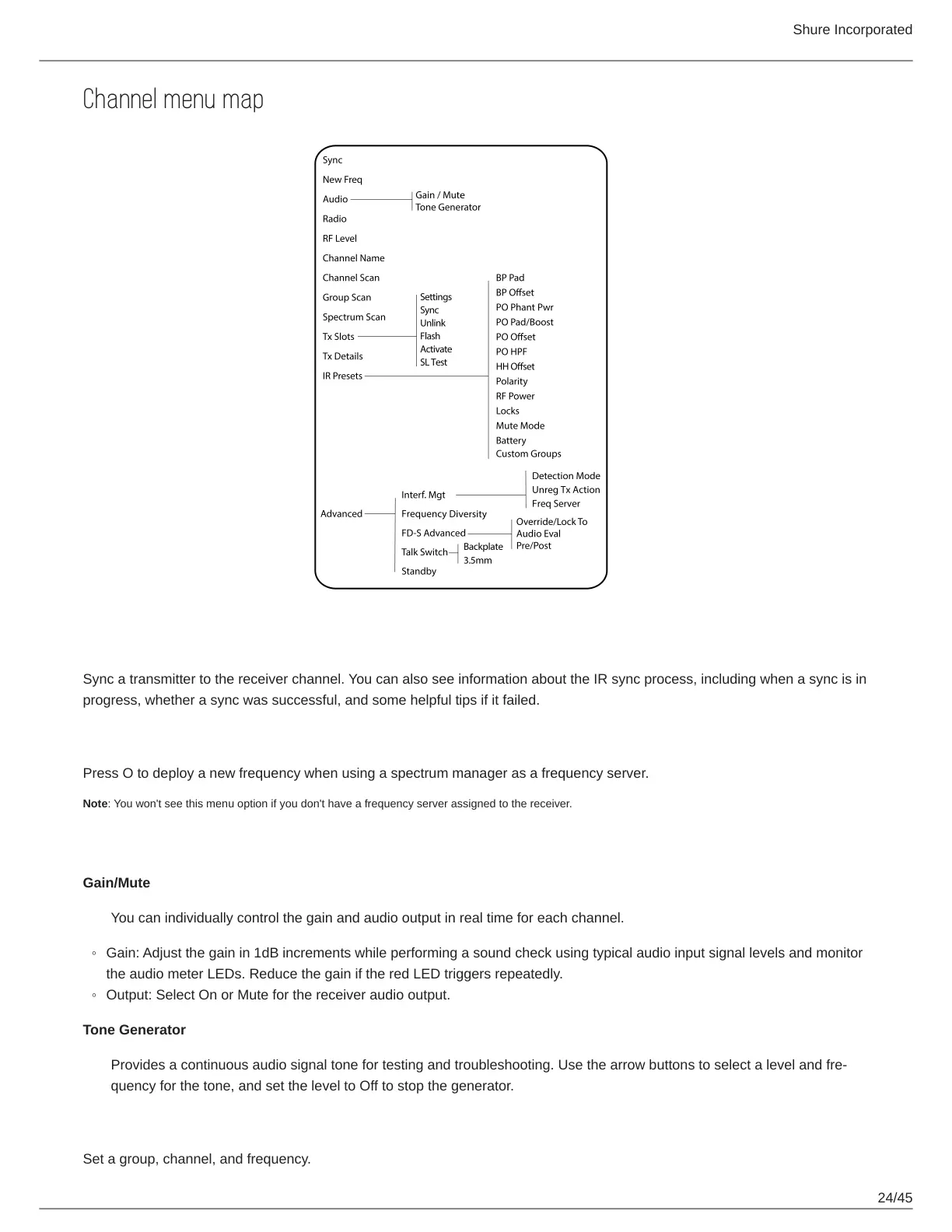
Channel menu map
Sync
Sync a transmitter to the receiver channel. You can also see information about the IR sync process, including when a sync is in
progress, whether a sync was successful, and some helpful tips if it failed.
New Freq
Press O to deploy a new frequency when using a spectrum manager as a frequency server.
Note: You won't see this menu option if you don't have a frequency server assigned to the receiver.
Audio
Gain/Mute
You can individually control the gain and audio output in real time for each channel.
Gain: Adjust the gain in 1dB increments while performing a sound check using typical audio input signal levels and monitor
the audio meter LEDs. Reduce the gain if the red LED triggers repeatedly.
Output: Select On or Mute for the receiver audio output.
Tone Generator
Providesacontinuousaudiosignaltonefortestingandtroubleshooting.Usethearrowbuttonstoselectalevelandfre
quency for the tone, and set the level to Off to stop the generator.
Radio
Set a group, channel, and frequency.



 To Next Page