Shure Incorporated
35/59
1.
2.
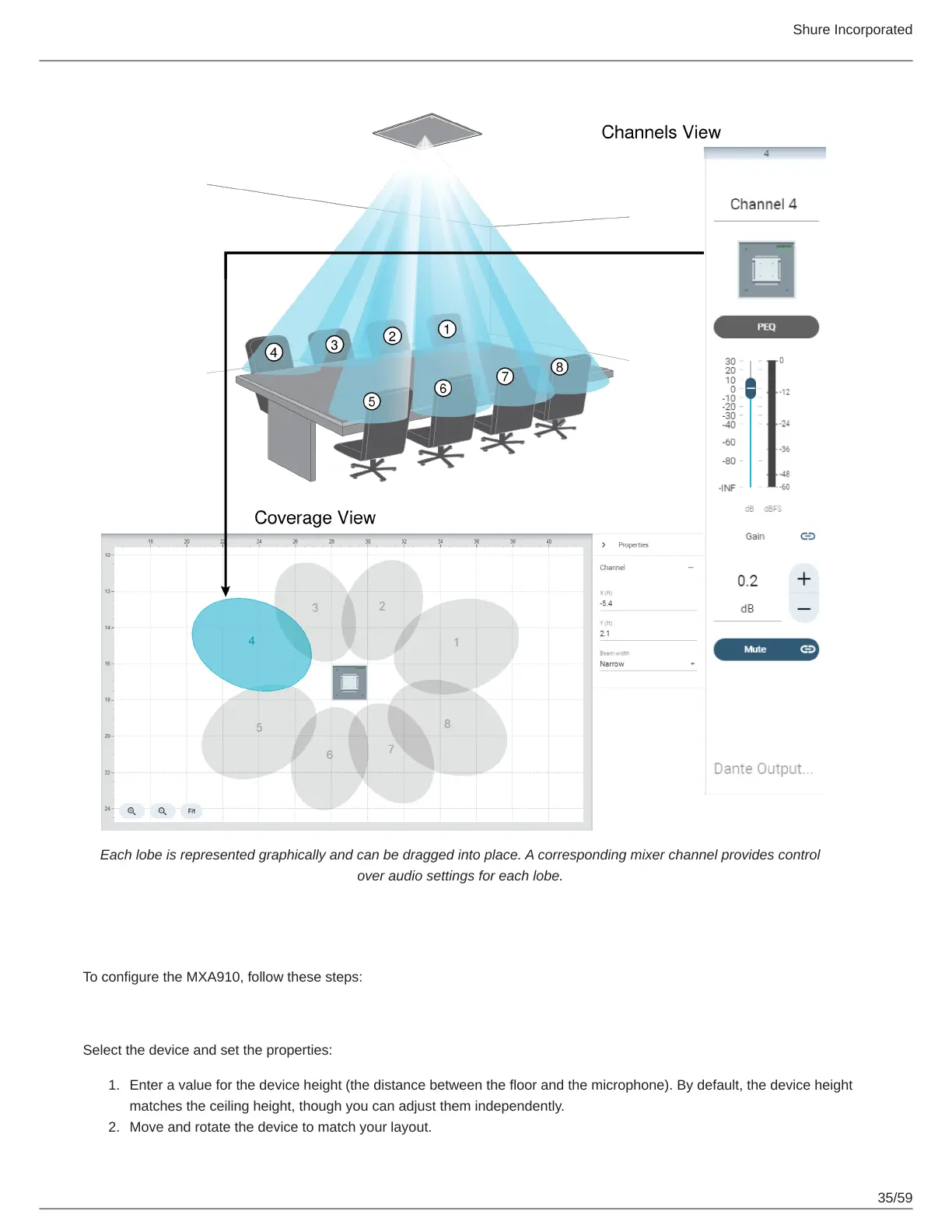
Each lobe is represented graphically and can be dragged into place. A corresponding mixer channel provides control
over audio settings for each lobe.
Configuring Microphone Coverage for MXA910
To configure the MXA910, follow these steps:
Set Device Properties
Select the device and set the properties:
Enter a value for the device height (the distance between the floor and the microphone). By default, the device height
matches the ceiling height, though you can adjust them independently.
Move and rotate the device to match your layout.












 To Next Page