Shure Incorporated
39/59
1.
2.
3.
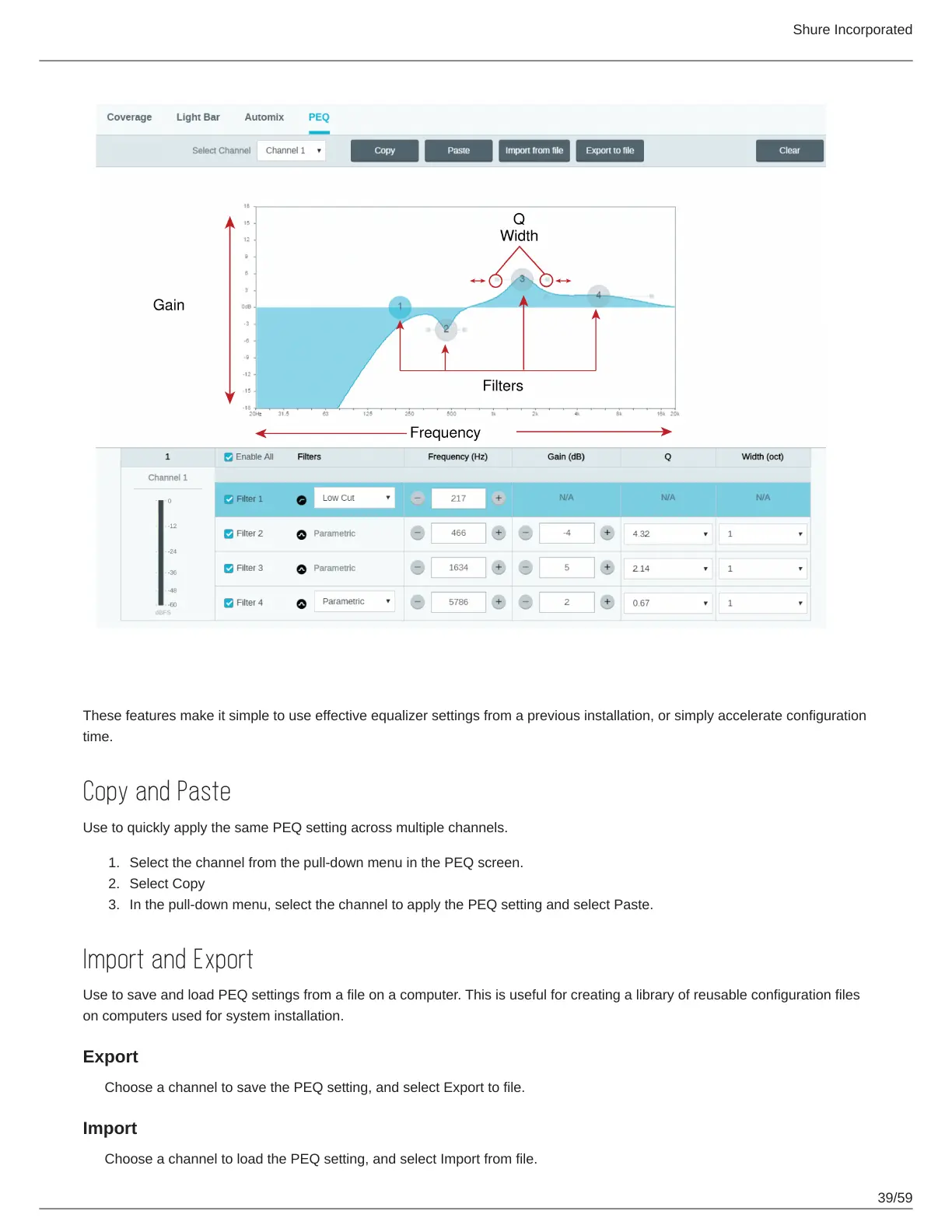
Copy, Paste, Import, and Export Equalizer Channel Settings
These features make it simple to use effective equalizer settings from a previous installation, or simply accelerate configuration
time.
Copy and Paste
Use to quickly apply the same PEQ setting across multiple channels.
Select the channel from the pull-down menu in the PEQ screen.
Select Copy
In the pull-down menu, select the channel to apply the PEQ setting and select Paste.
Import and Export
Use to save and load PEQ settings from a file on a computer. This is useful for creating a library of reusable configuration files
on computers used for system installation.
Export
Choose a channel to save the PEQ setting, and select Export to file.
Import
Choose a channel to load the PEQ setting, and select Import from file.


 To Next Page
 Loading...








