Compass Alignment
Your electronic compass may not be
aligned correctly due to mounting etc.
SP-110C can adjust the heading
reading from the compass to account
for alignment error.
You will require an alternative
heading reference to set the
adjustment (eg. Magnetic compass /
GPS plotter etc)
To commence:
• Switch power on to SP-110C
• Wait until Main Screen is displayed
(Figure 8)
• Hold MODE button, Settings Page
1 will appear (Figure 9)
• Press MODE and AUTO buttons at
the same time. Install Options 1 will
appear (Figure 10)
• Scroll down to COMPASS
ALIGNMENT using the ► Button
• Press AUTO button to edit
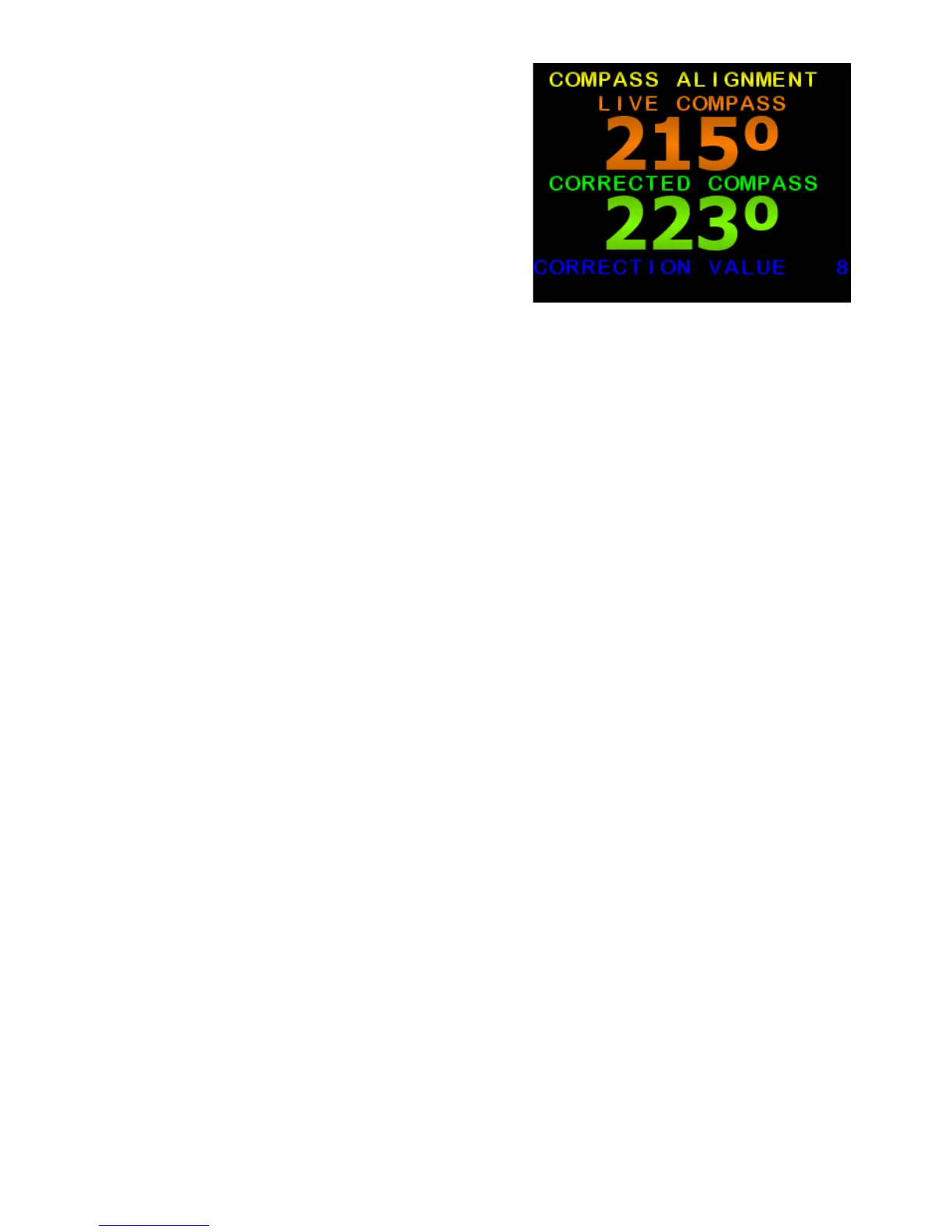
• The large Orange number is the
raw heading reading from the
electronic compass
• The large Green number is the
Corrected Compass (Aligned)
heading.
• Press ◄ or ► to change the
Corrected Compass heading so it
matches your alternative reference
(Figure 7)
• Press MODE to exit back to
Settings Page 1
• Press MODE to exit back to Main
Screen
• The live compass reading on the
main screen will be the Corrected
Compass heading.
• All steering will use the Corrected
Compass heading.
Figure 7: Press ◄ or ► to
change the Corrected Compass
heading so it matches your
alternative reference
10 of 35
SI-TEX SP-110C



 To Next Page