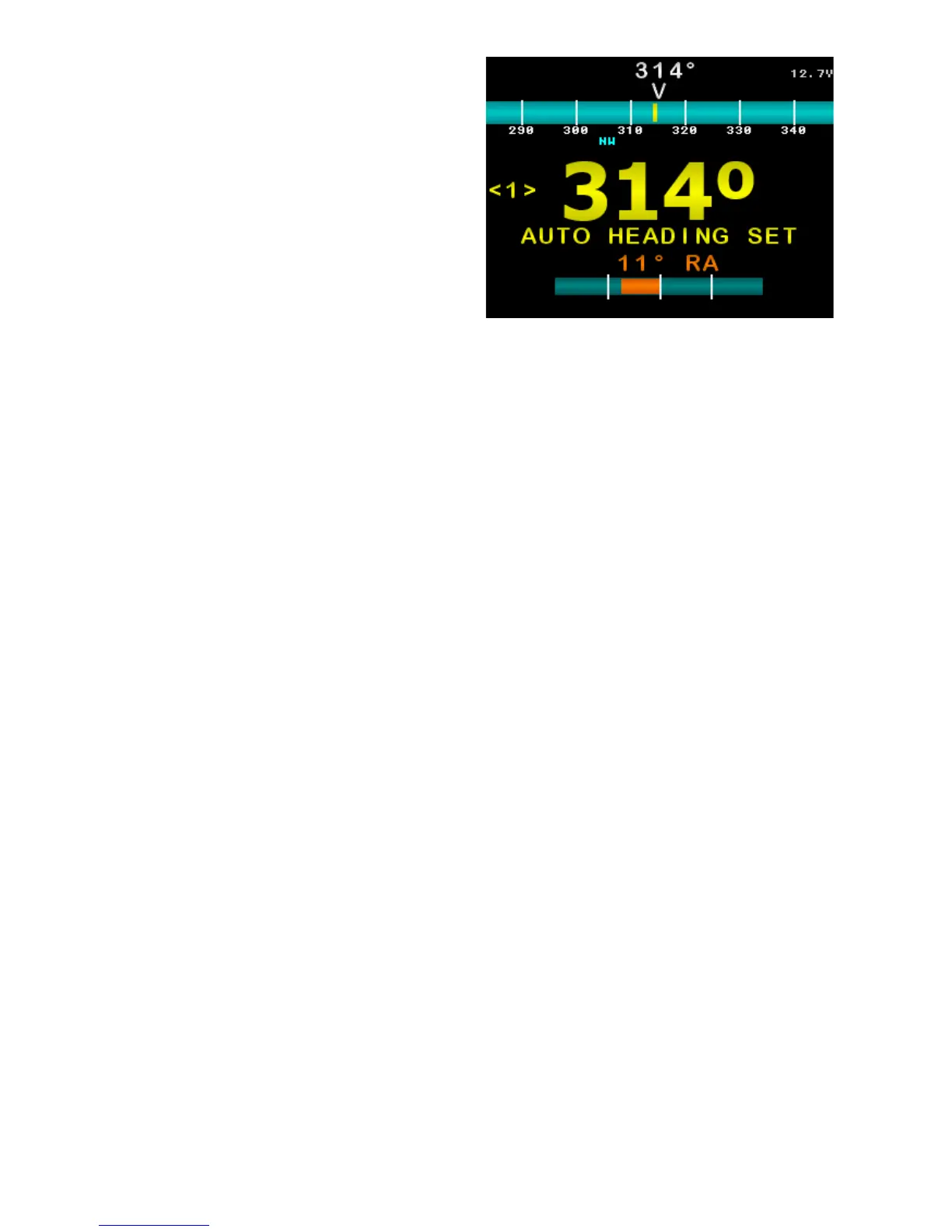
Auto Steer Mode
The current target heading is in large
yellow numbers near the middle of
the screen.
If a yellow bar appears within the
compass bar, it indicates current
deviation from target heading.
Target Heading is 315°, Deviation
is shown as a yellow bar within the
compass bar.
Press ◄ or ► buttons to change the
target heading.
Hold MODE to enter Settings Page 1.
Press AUTO to enter manual steer
mode.
Briefly press MODE to toggle target
heading step size between 1° and
10° (indicated in yellow brackets).
Figure 19: Example Auto Steer Mode
Main Screen. Live Compass heading
is 314°, Target Heading is 314°
Deviation is shown as a yellow bar
within the compass bar.
SI-TEX SP-110C 23 of 35



 To Next Page