Error Messages
There are a number of possible error messages that can be displayed on
screen, in place of the current Steer Mode text.
Examples are:
MOTOR SHORT - Over current detected on motor wires
CLUTCH SHORT - Over current detected on clutch wire
ANGLE OFF COURSE - Vessel is more then 45° from Target Heading.
RUDDER AT LIMIT - Rudder has reached the set end stop
RFU DISCONNECTED - Cannot detect the rudder feedback unit
GPS – NO GPS DATA - No NMEA XTE and no BOD received
GPS – NO GPS XTE - No NMEA XTE or APB XTE or RMB XTE received
GPS – NO GPS BOD - No NMEA BOD or APB BOD received
NO XTE – SET DEST - User needs to set a destination waypoint in GPS / PC
VESSEL TOO SLOW - Vessel is too slow to maintain steering without
rudder feedback.
If the Compass is disconnected or faulty, NO COMPASS will be displayed in
place of the compass heading, and the compass bar will disappear.
Advanced Options
(Recommended for
installers only)
There are a number of Advanced
Options, recommended for
installers only.
• With Main Screen displayed
(Figure 14)
• Hold MODE button, Settings Page
1 will appear (Figure 15)
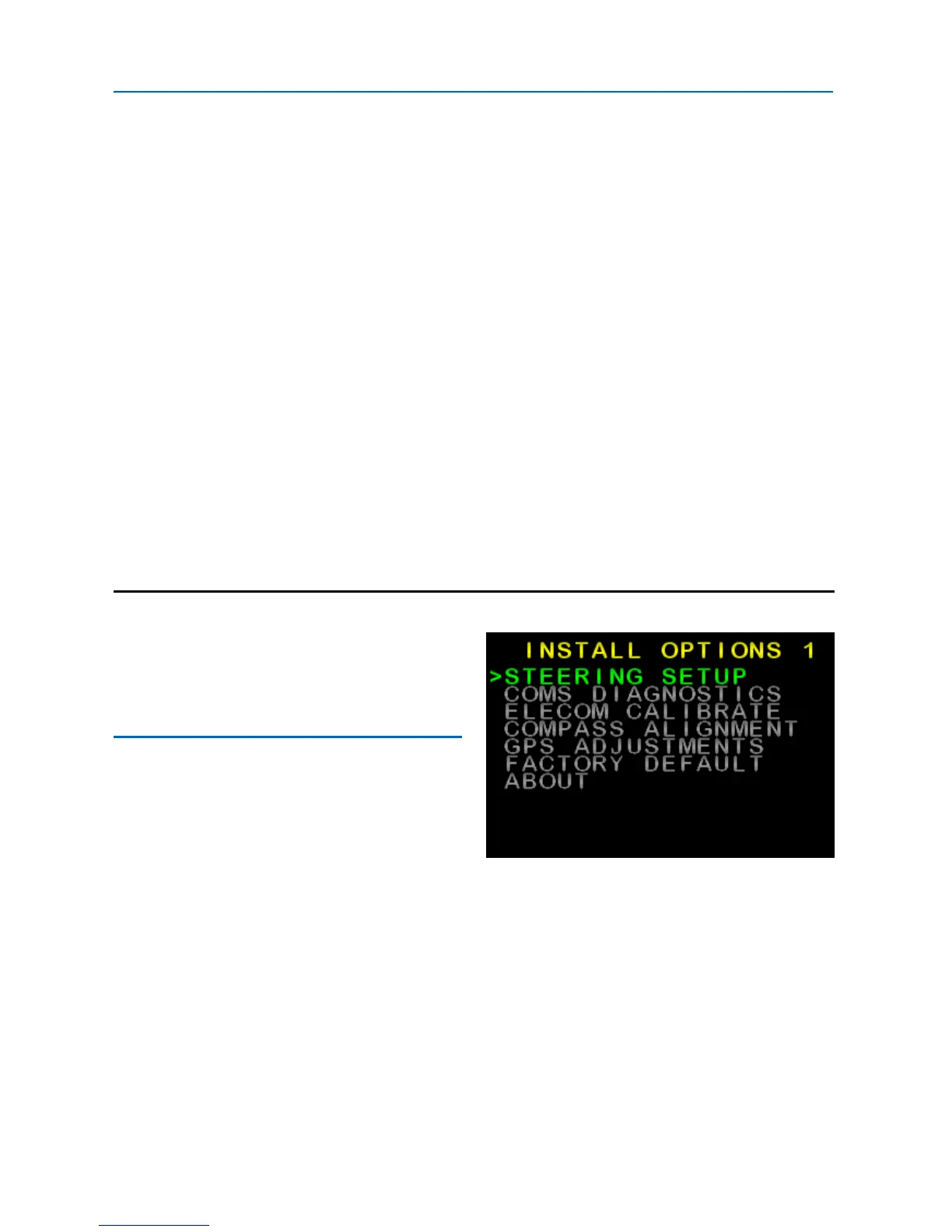
• Press MODE and AUTO buttons at
the same time, INSTALL OPTIONS
1 should appear (see Figure 21).
• Press ► to scroll down to desired
menu, press AUTO to enter the
menu
Figure 21: Advanced Settings
(Install Options 1)
SI-TEX SP-110C 25 of 35



 To Next Page