Rudder End Limits –
Automatic Set up
(Rudder Feedback required)
To commence:
• Switch power on to SP-110C
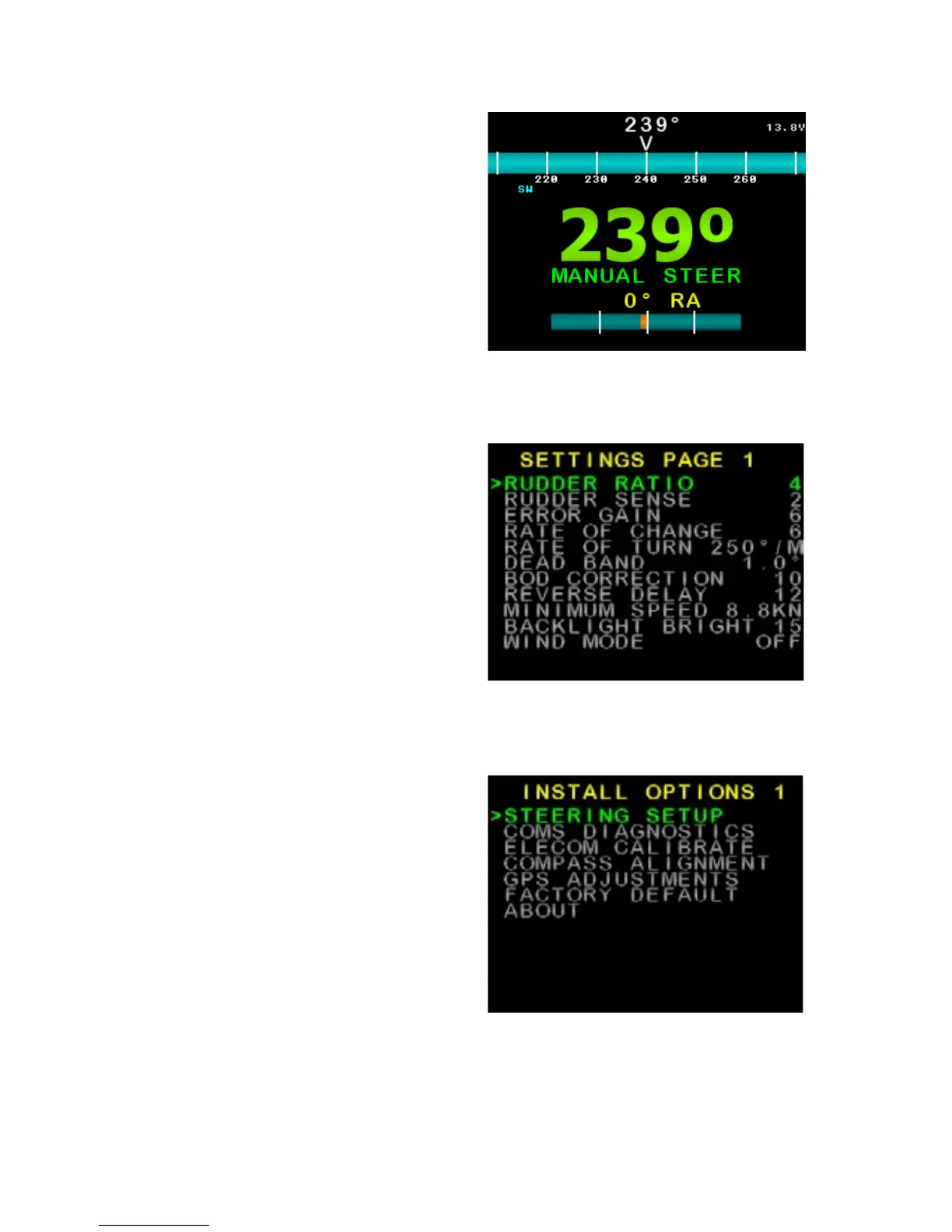
• Wait until Main Screen is displayed
(Figure 8)
• Hold MODE button, Settings Page
1 will appear (Figure 9)
• Press MODE and AUTO buttons at
the same time. Install Options 1 will
appear (Figure 10)
• Press AUTO button to enter
Steering Menu (Settings Page 2)
Figure 11.
• Ensure USE RFU is set to YES
• Scroll down to END LIMIT AUTO
using the ► Button
• Press AUTO button to start set up
(Figure 12)
• Process will take between 20 and
60 seconds to complete depending
on the speed of the motor
• If process is successful display will
show CAL OK SAVING….
• Press either MODE to cancel the
installation process, display will
show ABORT CALIBRATION
• If CAL ERROR is displayed an
error has occurred
• Check the drive output is
connected and rudder feedback
is moving
• Check rudder feedback installation
• To Exit menu, press MODE button
Figure 8: Example Main Screen
(Manual Steer Mode)
Figure 9: Example Settings Page 1
Figure 10: Example Install Options 1
SI-TEX SP-110C 11 of 35



 To Next Page