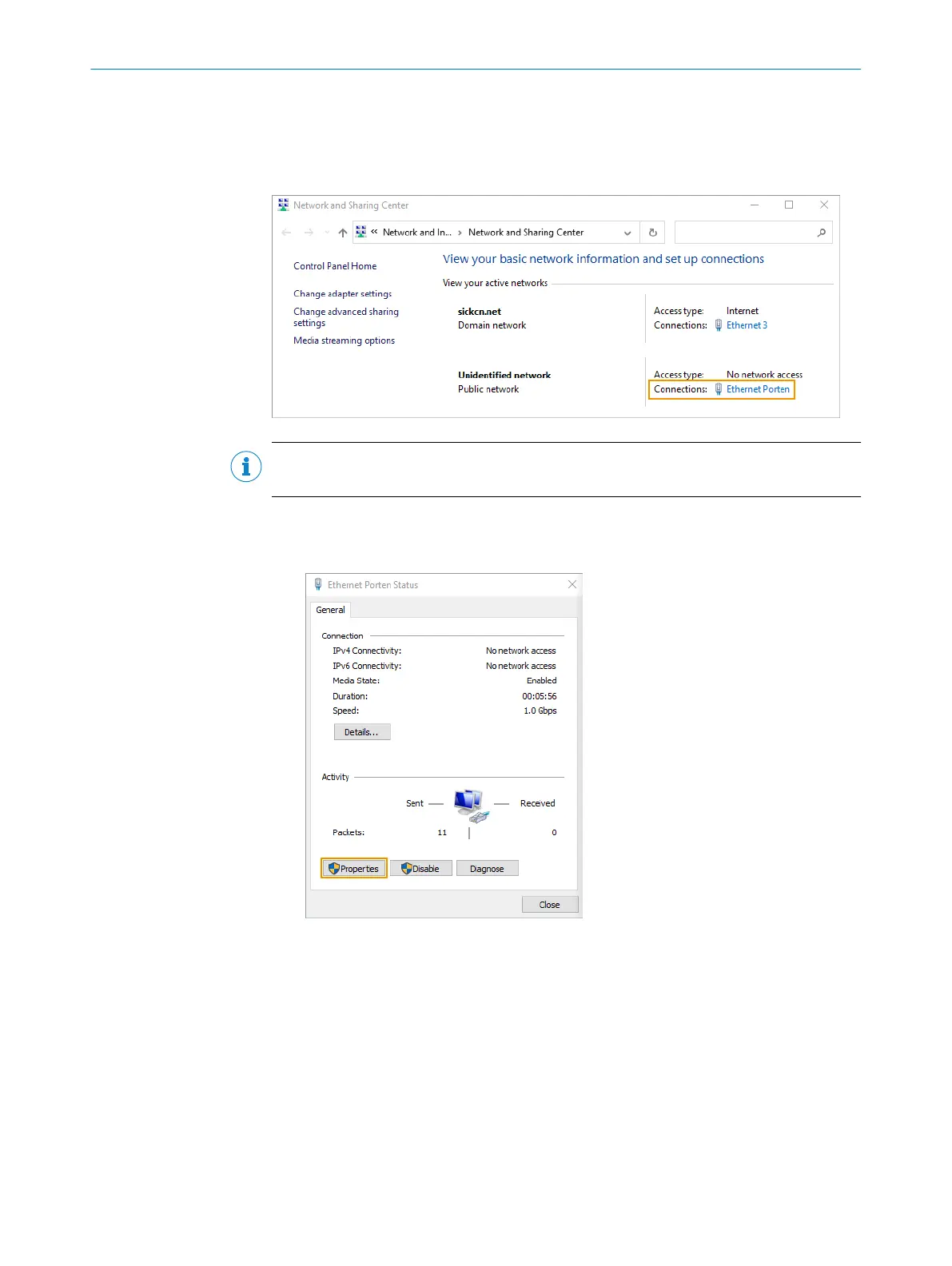
4.3.1 Setting an IP address on the computer
If you have more than one Ethernet port, try to disconnect and reconnect the Ethernet
cable between the device and computer. You can then identify which connection to
adapt.
NOTE
You need to be authorized to change the computer settings.
1. Open the Network and Sharing Center on the computer.
2. Click on the link for the appropriate Connection.
3. Click on Properties.
4. Select Internet Protocol Version 4 (TCP/IPv4) in the list, and click on Properties.
GETTING STARTED
4
8029044/1MYO/2024-04 | SICK O P E R A T I N G I N S T R U C T I O N S | Inspector83x
23
Subject to change without notice



 To Next Page