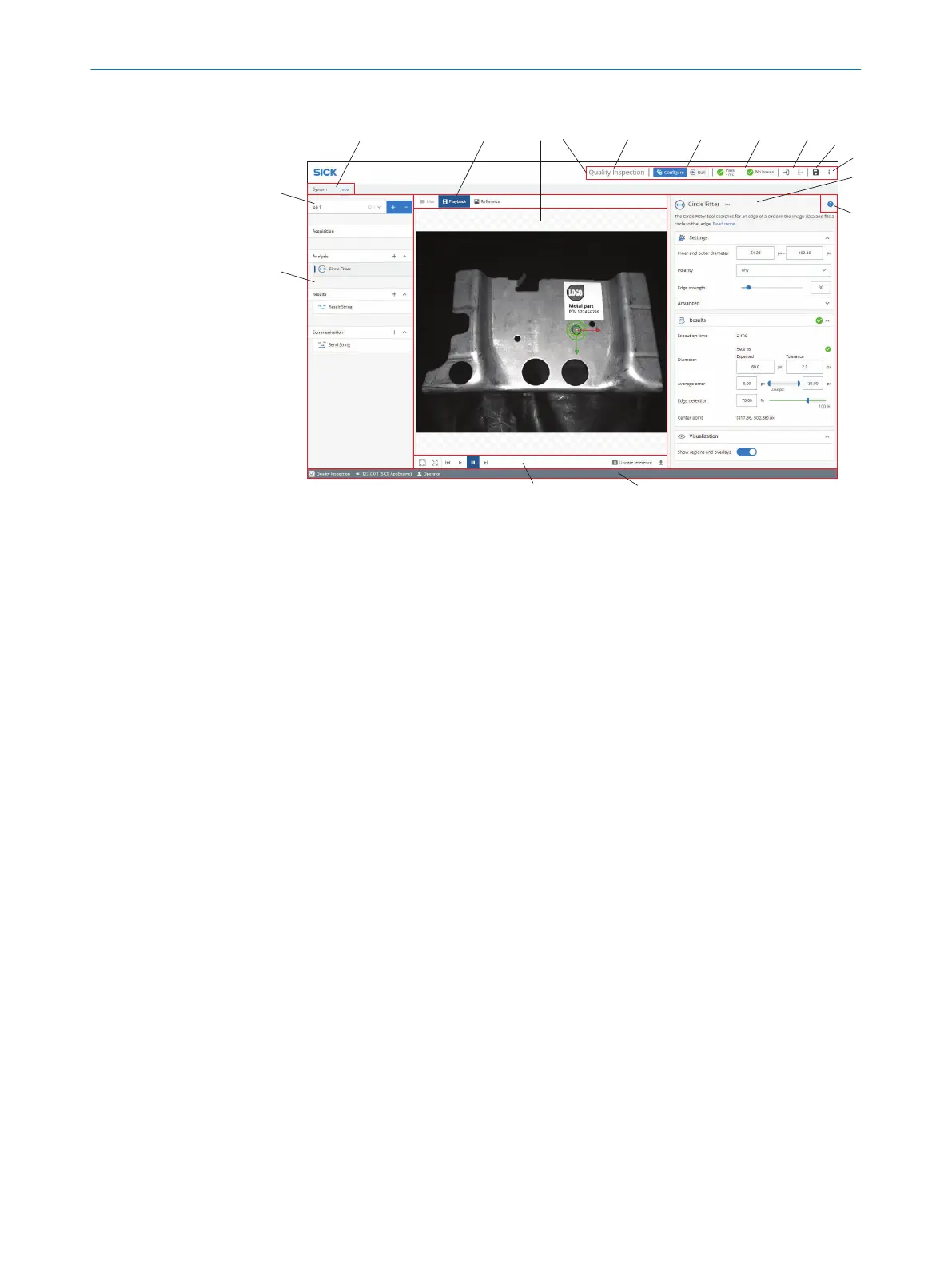
Overview of the user interface
Figure 6: User interface overview
1
Tool categories with tool boxes and tool tree
2
Job list
3
System/Jobs switch
4
Image source selection
5
Image viewer
6
Header information
7
Licensed toolset
8
Mode selection (Run/Configure)
9
Overall result, cycle time and issues list
ß
Login and logout options
à
Save permanent
á
Import and export options, file explorer, language selection
â
Tool pane
ã
Tool help
ä
Footer information
å
Image controls
The footer shows information about the current setup, such as:
•
Which toolset is active, i.e. Presence Inspection, Quality Inspection, or Intelligent
Inspection.
•
The connected device.
•
The current User level.
GETTING STARTED
4
8029044/1MYO/2024-04 | SICK O P E R A T I N G I N S T R U C T I O N S | Inspector83x
27
Subject to change without notice



 To Next Page