MCS100E HW Maintenance Manual 8009624/2009-09 (V1.4) ©SICKMAIHAKGmbH 41
Preventive Maintenance
3 Zero gas check
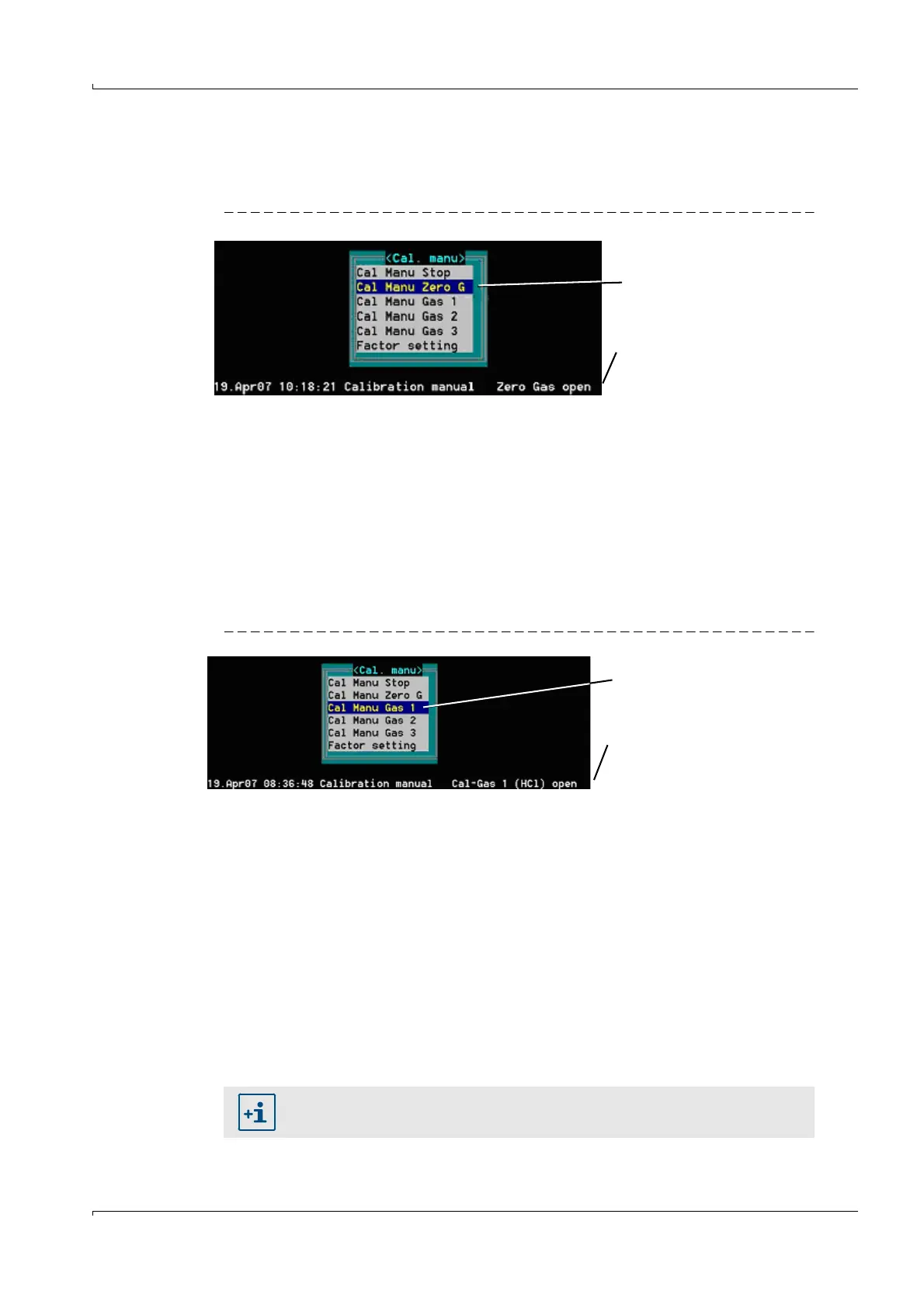
a) Use the cursor key to go to "CAL Manu Zero Gas" and press "ENTER".
b) Confirm safety prompt with "Yes".
Fig. 49 Message "Zero Gas open"
c) The following message is displayed in the message line: Zero gas open.
d) Exit the menu with "ESC" (otherwise the diagram will not be updated).
e) Wait until all measured values have leveled out to zero (graphic display on monitor).
f) When the measured values have leveled out: Press F7 to go to the menu.
g) To set zero
→
P. 40, § 3.11
h) Terminate zero measurement with "CAL Manu Stop"
OR feed span gas with a desired concentration (
→
Step 4)
4 Check the gas concentration with span gas
a) Use the cursor key to go to the desired gas "Cal Manu Gas x" and press "ENTER".
b) Confirm safety prompt with "Yes".
Fig. 50 Message "Cal-Gas 1 (HCl) open"
c) The name of the span gas component and a message that the corresponding span
gas valve is open are displayed in the message line.
Remark: If two measuring ranges exist for one component (e.g.: HCl-low and HCl-
high), the available span gas is used for both measuring ranges.
d) Exit the menu with "ESC" (otherwise the diagram will not be updated).
e) Wait until the measured value has leveled out (graphic display on monitor).
f) When the measured values have leveled out: Press F7 to go to the menu.
g) To set the span gas value
→
P. 40, § 3.11
h) Terminate span gas feeding with "CAL Manu Stop"
OR feed next component.
5 Switch the MCS100E HW to measuring mode.
– Select "System Start" (confirm safety prompt with "Yes").
– Exit the menu with "ESC".
Manual zero gas feeding
Message: Zero gas open
Span gas feeding Gas 1
Message: Cal-Gas 1 (HCl) open
Span gas feeding for O
2
→
P. 42, § 3.13















 To Next Page