Operating panel
7
Building Technologies 009929_a_en_--.doc
Fire Safety & Security Products 11.2006
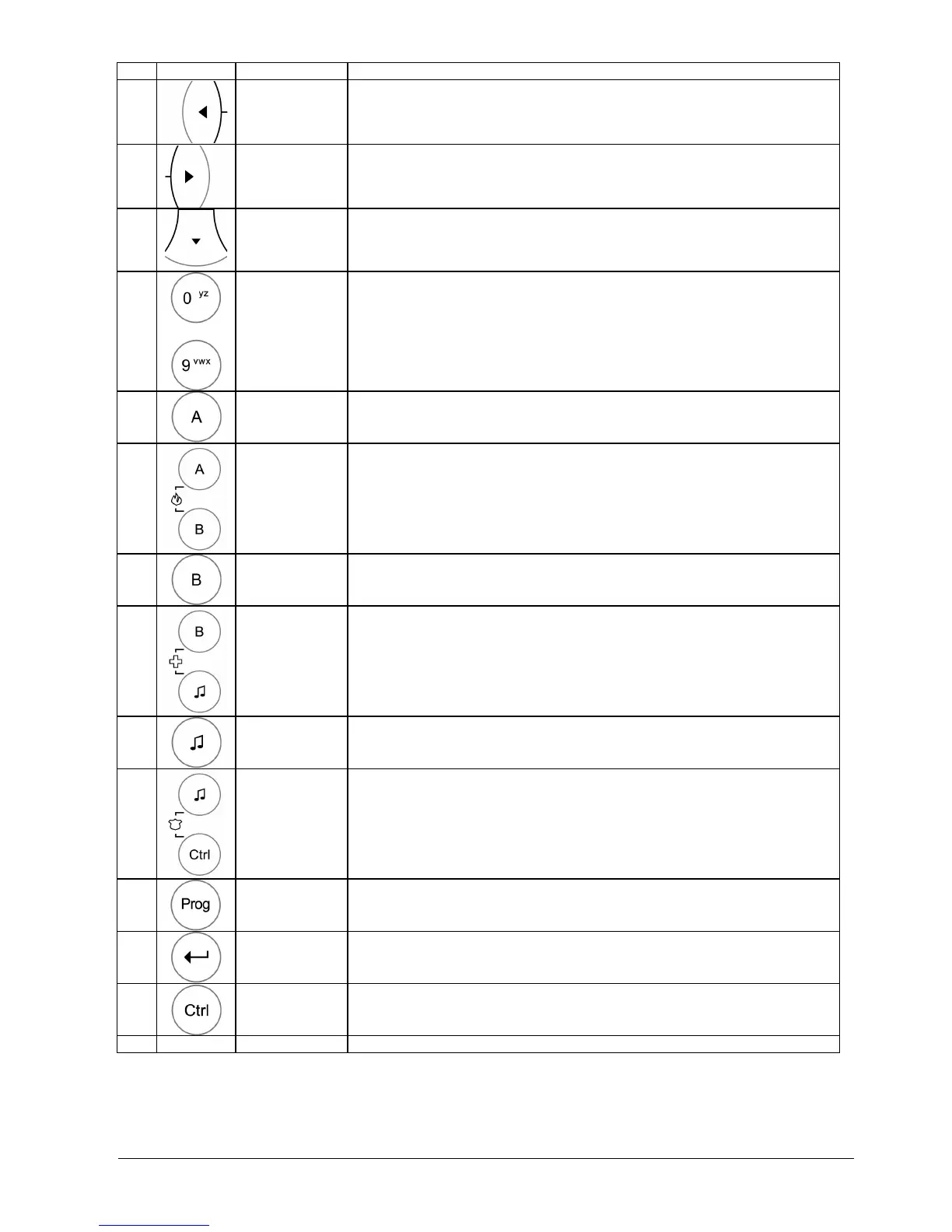
No. Symbol Key/Indicator. Description
7
<LEFT>
arrow
Menu navigation to the left
8
<RIGHT>
arrow
Menu navigation to the right
9
<DOWN>
arrow
Menu navigation down
10
….
<0>…-<9>
Numeric keys 0 to 9 with characters A to Z
11
Zone-
<A>
Zone A key 'A'
12
Emergency
<FIRE>
Zone-A and Zone-B key / Emergency for Fire
Press the keys simultaneously for Emergency
13
Zone
<B>
Zone-B key 'B'
14
Emergency
<MEDICAL>
Zone-B key and Chime / Emergency for Medical
Press the keys simultaneously for Emergency
15
<CHIME>
<
♫>
Chime key
16
Emergency
<SECURITY>
Chime and CTRL key / Emergency for Police, Security
(Hold-up)
Press the keys simultaneously for Emergency
17
<PROG>
Programming key – Start of program code
18
<ENTER>
◄┘
Enter key
19
<CTRL>
Control key
20
<Key 0..9>
<CODE>
PIN Code User/Installer
Tab. 2 Control unit keys and indicators












 To Next Page