Start Up
6.2 Program Mode
BW500 and BW500/L
Operating Instructions, 12/2016, A5E33482052-AD
49
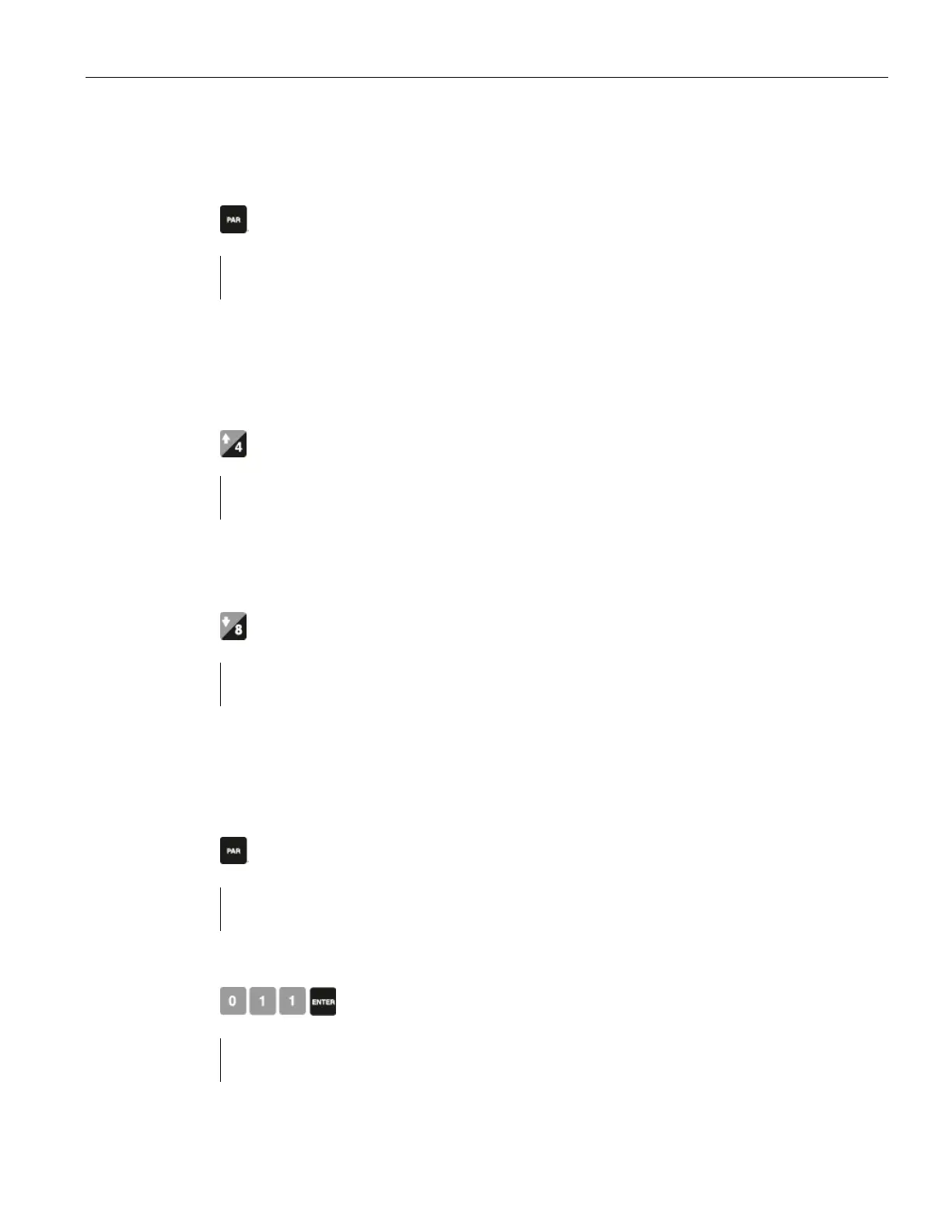
Press the following key to access the parameter:
P001 Language
1-En 2-Fr 3-De 4-Es 5-It 6-Po 7-Ru
V
The default of previous parameter view is di
splayed. For example, P001 is the default parameter for
Press the following key to move up:
P002 Test Reference Selection
1-Weight, 2-Chain, 3-Ecal
V
For example, scrolls up from P001 to P002
Press the following key to move down:
P001 Language
1-En 2-Fr 3-De 4-Es 5-It 6-Po 7-Ru
V
For example, scrolls down from P002 to P001
To access parameter directly
Press the following key to access the parameter:
View/Edit Parameter
Press the following keys in sequence:
P011 Design Rate:
V
For example: access P011, design rate



 To Next Page