Installation
20
Siemens Building Technologies
Fire Safety & Security Products 07.2008
11 Installation
11.1 Mechanical
Please mount the reader at a suitable height also catering for disabled persons.
1. Open the reader with the key supplied. The lock is located beneath the key-
pad.
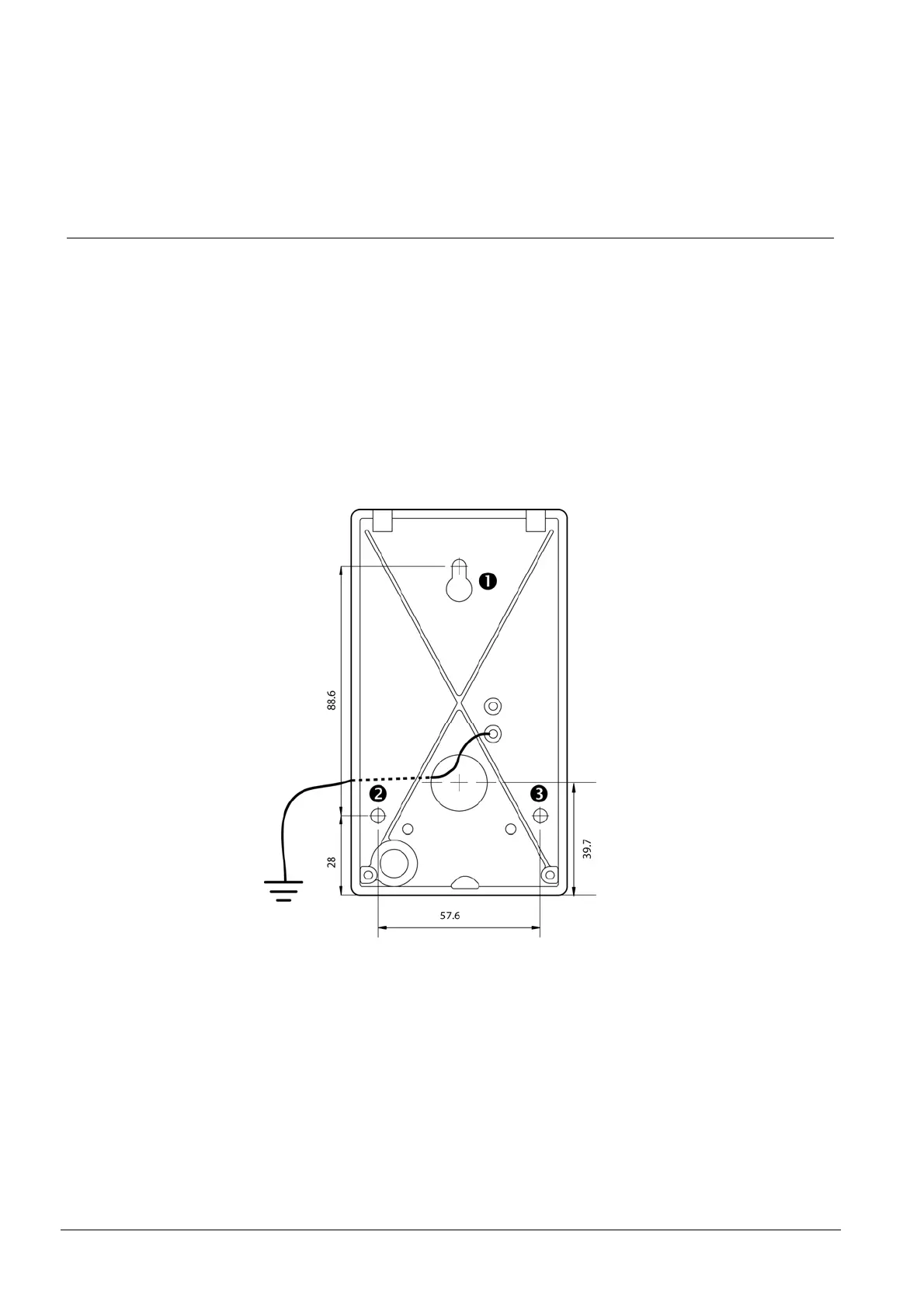
2. Fasten the back plate against the wall, using three screws n, o and p ac-
cording to figure 1. Seal the screw and cable holes with sealant if the reader
is externally mounted.
3. Make sure the back plate is earthed. Use a separate cable to the earthing
point. Make sure the front and back plates are connected with an insulated
cable.
4. Fit the front and check that the reader is securely fastened.
Fig. 1 PP500 back plate. Dimensions in mm.










 To Next Page