Reconfiguring the function
32
Siemens Building Technologies
Fire Safety & Security Products 07.2008
12.8 Examples of working out what to program into the configura-
tion card in 63-bit mode on the Programmer
When you refer to the earlier section entitled “Programming the configuration card”,
you can look up the hexadecimal numbers you need in the tables and write them
down as you go. You then enter the hexadecimal numbers into the Programmer in
63-bit display format.
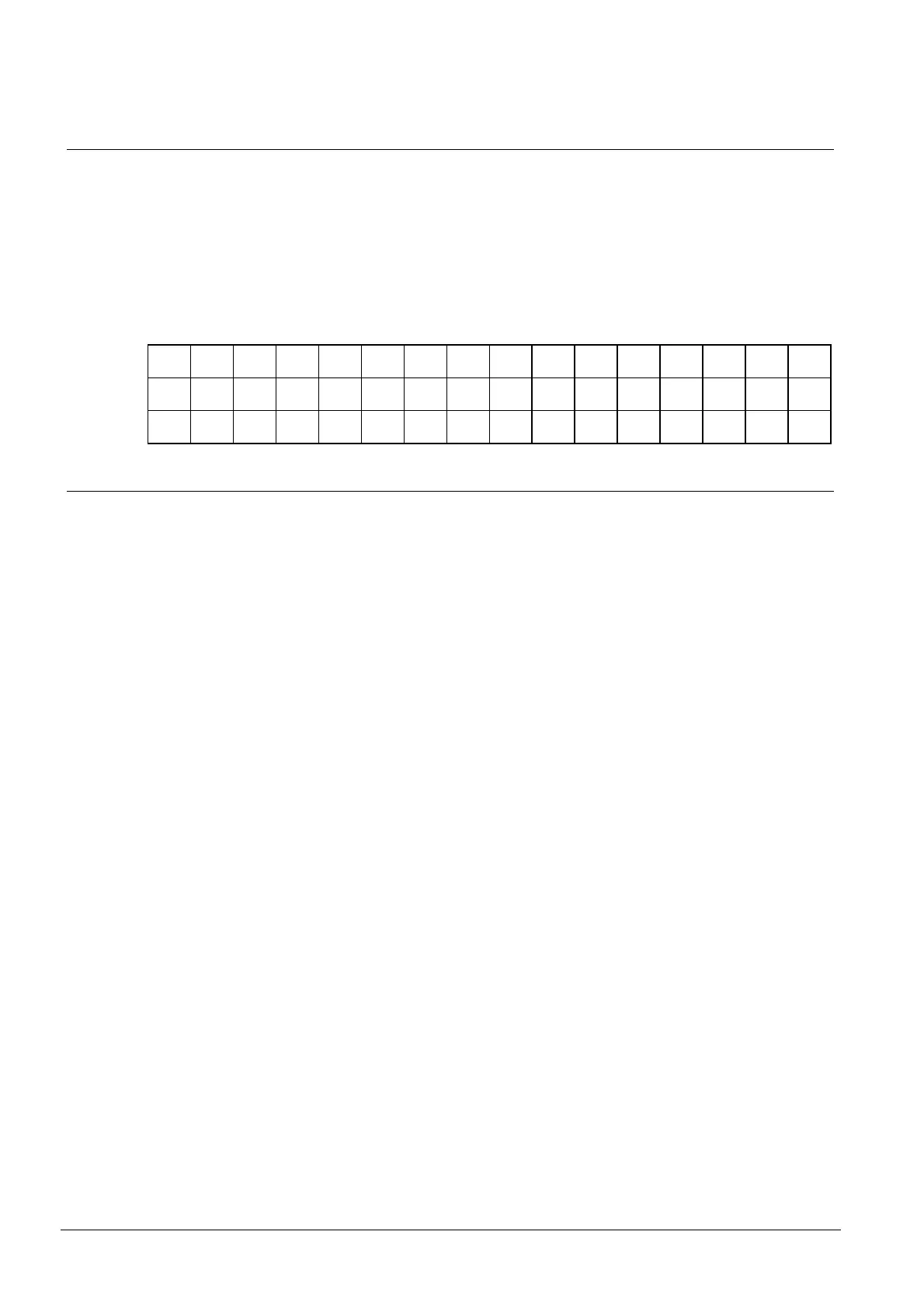
If you ever need to convert decimal and binary numbers to hexadecimal digits,
here is a table giving the decimal (top row), binary (middle row) and hexadecimal
(bottom row) equivalents for all possible 4-bit numbers:
0 1 2 3 4 5 6 7 8 9 10 11 12 13 14 15
0000 0001 0010 0011 0100 0101 0110 0111 1000 1001 1010 1011 1100 1101 1110 1111
0 1 2 3 4 5 6 7 8 9 A B C D E F
12.8.1 Example 1
z Output the secondary code as bits 17 to 32 of the data output (1 in hex)
z Next four digits always zero (0000 in hex)
z Next digit always zero (0 in hex)
z Data Hold active-low (0 in hex)
z Horn enabled (0 in hex)
z Hold-off time: 2 seconds (look up in table - 2 in hex)
z Wiegand leading parity enabled (8 in hex)
z Single-wire control of red/green LED (2 in hex)
z Secondary Code check enabled (msb zero). RDD: 5 seconds decimal (05 in
hex)
z Wiegand data output (interface number 12 in hex)
Write down the hex digits in order: 1000000002820512 and enter it into the 633-2
Programmer in 63-bit display format.










 To Next Page