Reconfiguring the function
29
Siemens Building Technologies
Fire Safety & Security Products 07.2008
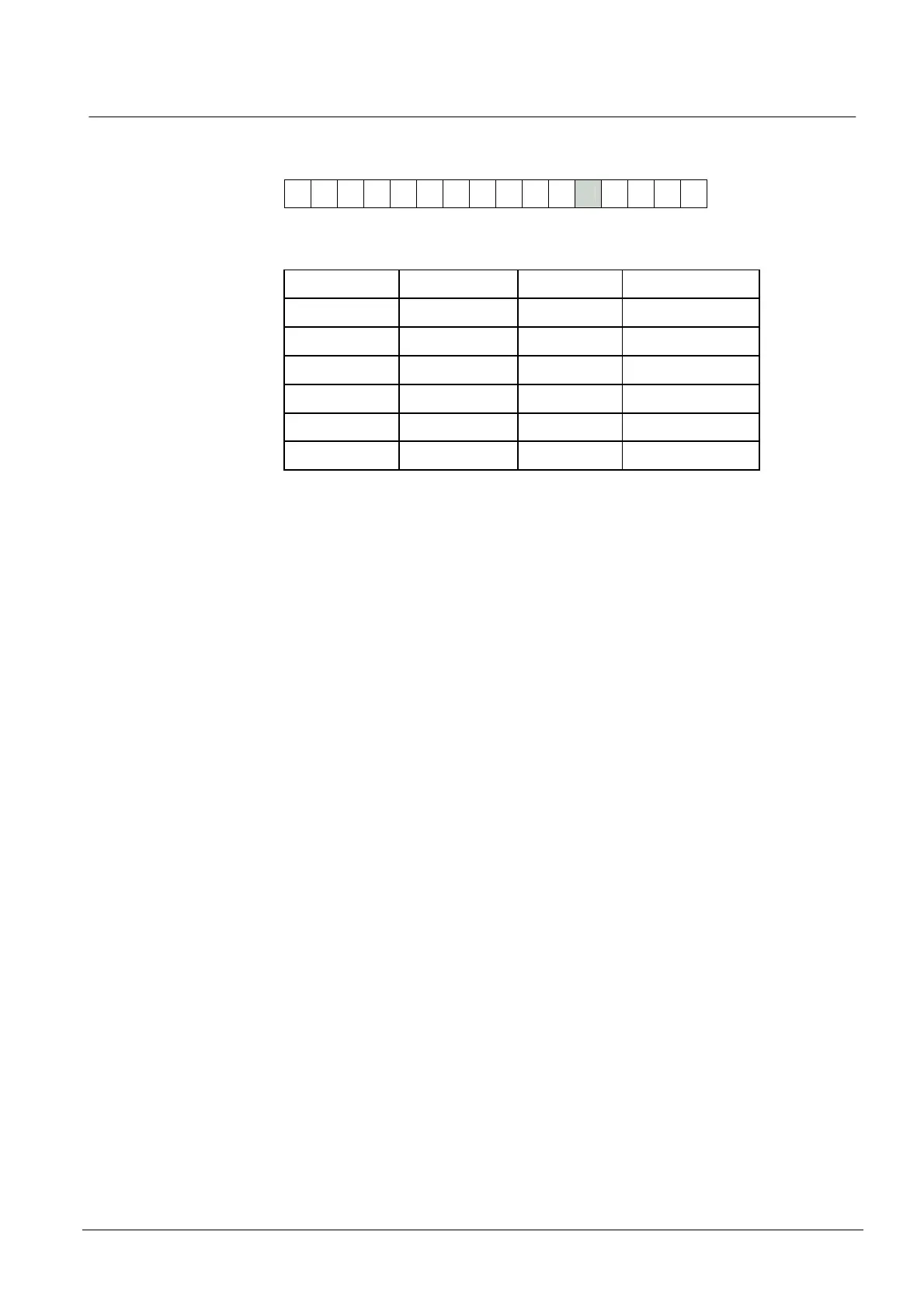
12.4.6 xarg (internal/external control of red and green LEDs)
12
0 0 0 0 0
To work out the hex number you need to type into the Programmer, refer to the fol-
lowing table:
Hex number Red LED Green LED Amber LED
0 External External On key press or noise
1 Internal Internal On key press or noise
2 Internal External On key press or noise
4 External External Disabled
5 Internal Internal Disabled
6 Internal External Disabled
Use the 0 or 4 setting when the drives for the red and green LED indications are
supplied by the host system. When you drive the LEDs externally, you have to pull
down the corresponding connection from +5V to 0V. The R/G connection lights the
green LED and the R connection lights the red LED.
Use the 1 or 5 setting if you want the Reader alone to control the LEDs. The red
LED is lit when no card or tag is in range. The green LED light after a valid card
read and stays on until the card is removed from the reading area of the Reader, or
the hold off time expires, whichever is longer. The amber LED flashes if there is
electrical noise in the reading area which may affect reading of cards and tags.
The 2 or 6 setting requires external control of the green LED from the host, but the
Reader controls red and amber LEDs. This provides single-wire control of the LED
indication from the host. It works as follows:
The red LED is lit when no card or tag is in range.
z When the Reader reads a card or tag, the host processes the data from the
Reader, unlocks the door and lights the green LED by pulling the R/G connec-
tion down to 0V. This also turns the red LED off.
z When the host releases the green LED control, the green LED goes off and the
red LED lights.
If this number is set to 0, 1 or 2 the amber LED flashes rapidly while there is elec-
trical or magnetic noise in the reading area which may affect reading of cards and
tags. The amber LED is also illuminated while a key is pressed. Use the 4, 5 or 6
settings to disable the amber LED so it remains off at all times.










 To Next Page