Installation, wiring, commissioning
3.2 Installation
SIMATIC CC7
38 Operating Instructions, 10/2019, C79000-G8976-C503-02
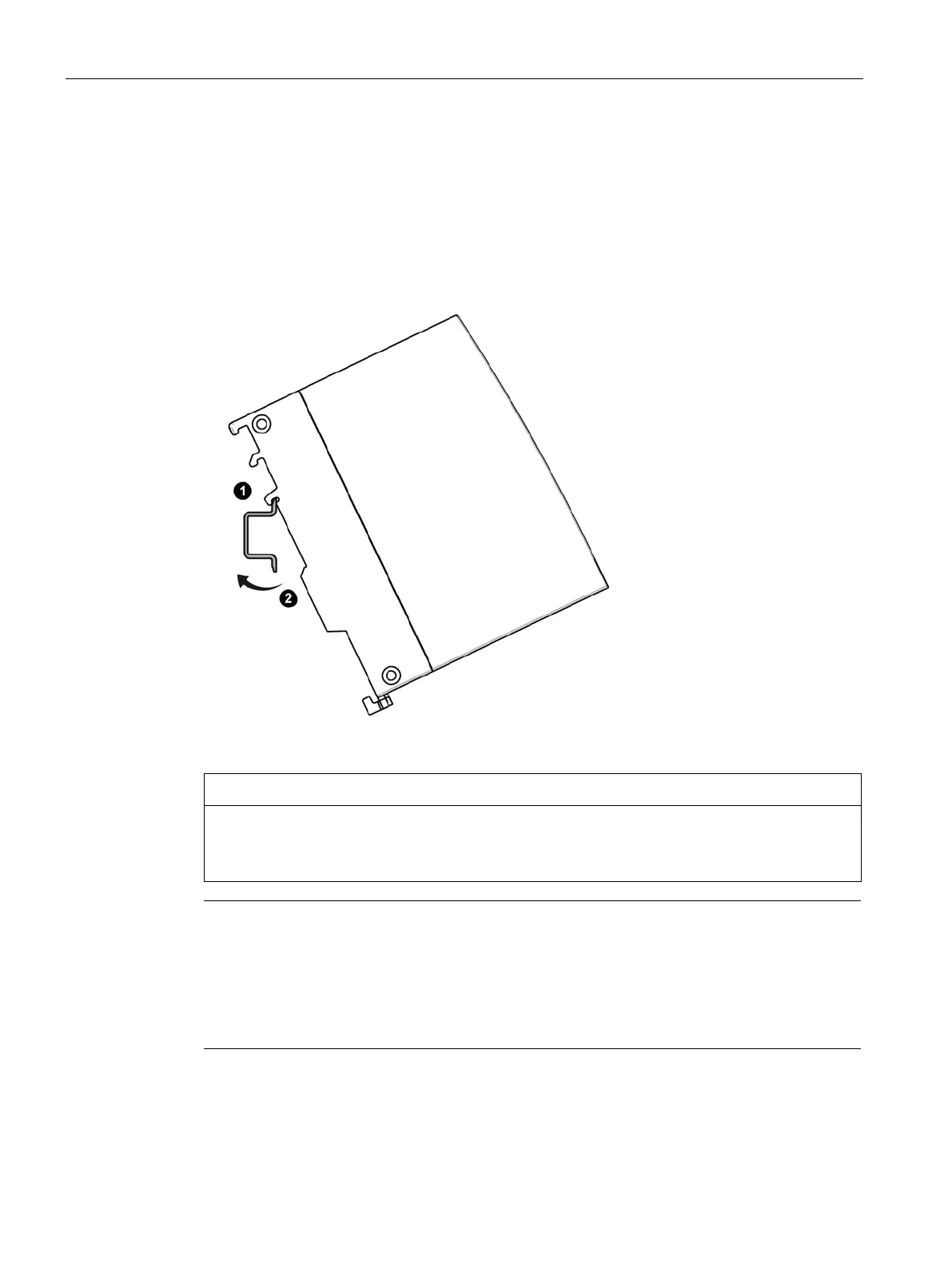
Installation on a DIN rail
1. Insert the device with the respective guide ① into the standard rail:
– Top guide for S7-1500 standard rail
– Center guide for S7-300 standard rail
– Bottom guide for DIN rail
2. Tilt the device to the back until the mounting rail release audibly locks in place
②.
3. Ground the mounting rail.
For reasons of electrical safety, the DIN rail must be connected to the protective conductor
system (PE) of the electrical system.
Note
Protecting the modules from slipping on the DIN rail
If you install the modules in an area with mechanical load, use suitable clamping devices at
both ends of the device group to secure the modules on the DIN rail, e
.g. Siemens and
The end retainers prevent the modules separating under mech
anical load.










 To Next Page