Configuring
5.1 Assigning the IP address / device name
SIMATIC RF360R
24 Configuration Manual, 03/2022, C79000-G8976-C629-02
Procedure
Follow the steps below to assign a unique device name to the reader:
1. Open the TIA Portal with "Start > All Programs > Siemens Automation > TIA Portal Vxx".
2. Create a new project.
3. Change to the Project view.
4. Using the project tree, insert a SIMATIC controller in the project with the "Add new device"
menu command.
Reaction: The device view opens and the controller is displayed.
5. Go to the network view and drag the reader from the hardware catalog into the project.
6. Assign the reader to the controller.
7. Right-click on the reader.
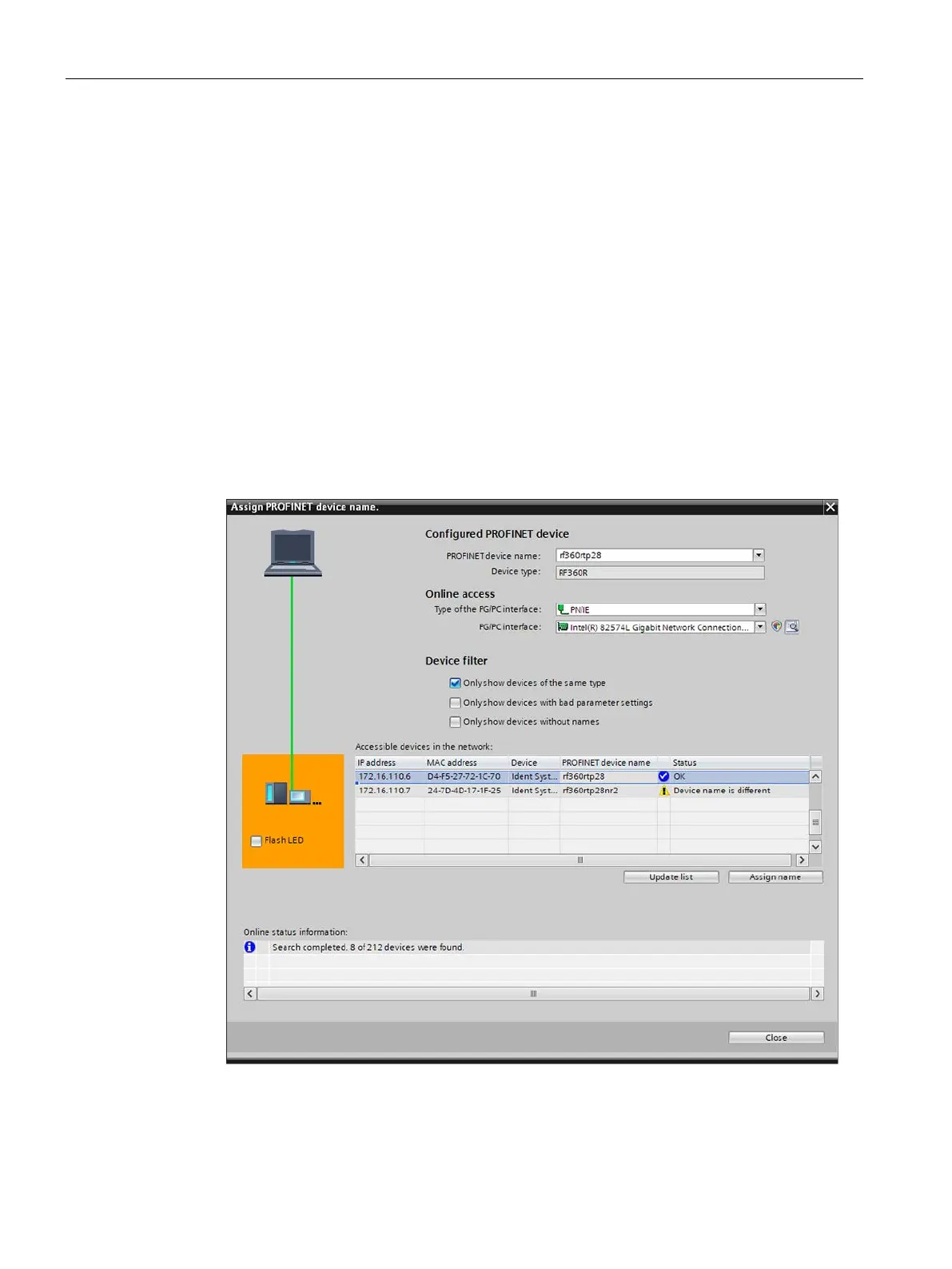
8. In the shortcut menu, select the menu command "Assign device name".
Reaction: The "Assign PROFINET device name" window opens.
Figure 5-1 Assign device name
9. Select the connection type in the "Online access" area in the "Type of the PG/PC interface"
drop-down list.











 To Next Page