Service and maintenance
8.1 Diagnostics
SIMATIC RF360R
76 Configuration Manual, 03/2022, C79000-G8976-C629-02
8.1.1 Diagnostics via the LED display
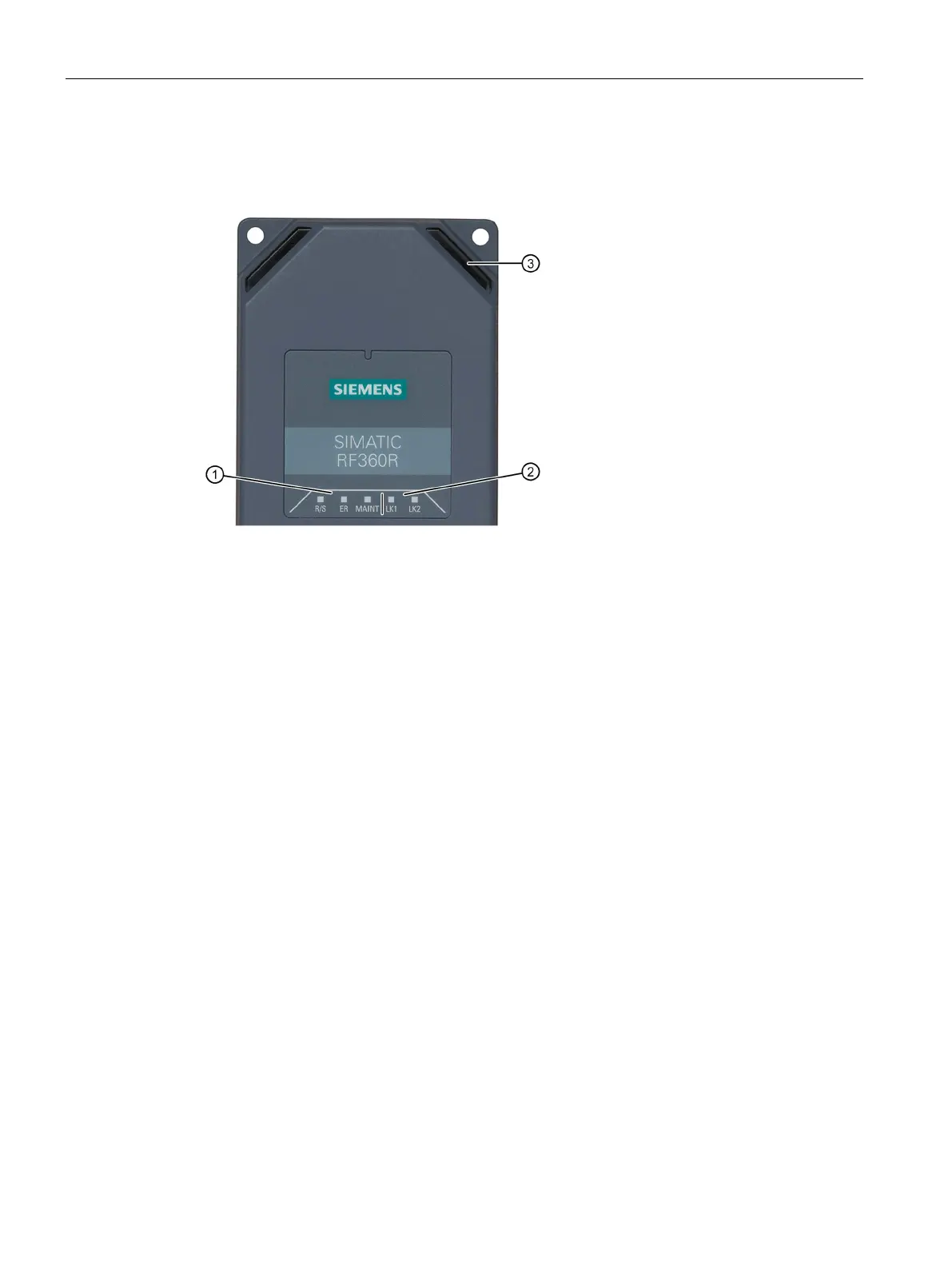
The following figure shows details of the LEDs of the RF360R.
①
Shows whether the reader is ready for operation.
Indicates whether an error has occurred.
Shows whether the reader needs maintenance.
②
PROFINET/Ethernet LED display
Indicates that there is a link via Ethernet interface "1".
Indicates that there is a link via Ethernet interface "2".
③ Reader LED display
• Indicates whether there are one or multiple transponders
in the antenna field.
• Indicates whether communication with the reader is
taking place and whether a reader error has occurred.
• Time in "Setup" mode shows how good the
communication quality between the reader and
Figure 8-1 LED displays of the reader











 To Next Page