SIMATIC Rack PC 840 Expansions
4-18
SIMATIC Rack PC 840 Manual
A5E00104826-03
4.7 Removal and Installation of the Bus Board
1. Open the housing as described in Section 4.1.
2. Remove all the modules from the slots (proceed as described in Section 4.4.2.).
3. Remove all the connectors from the bus board.
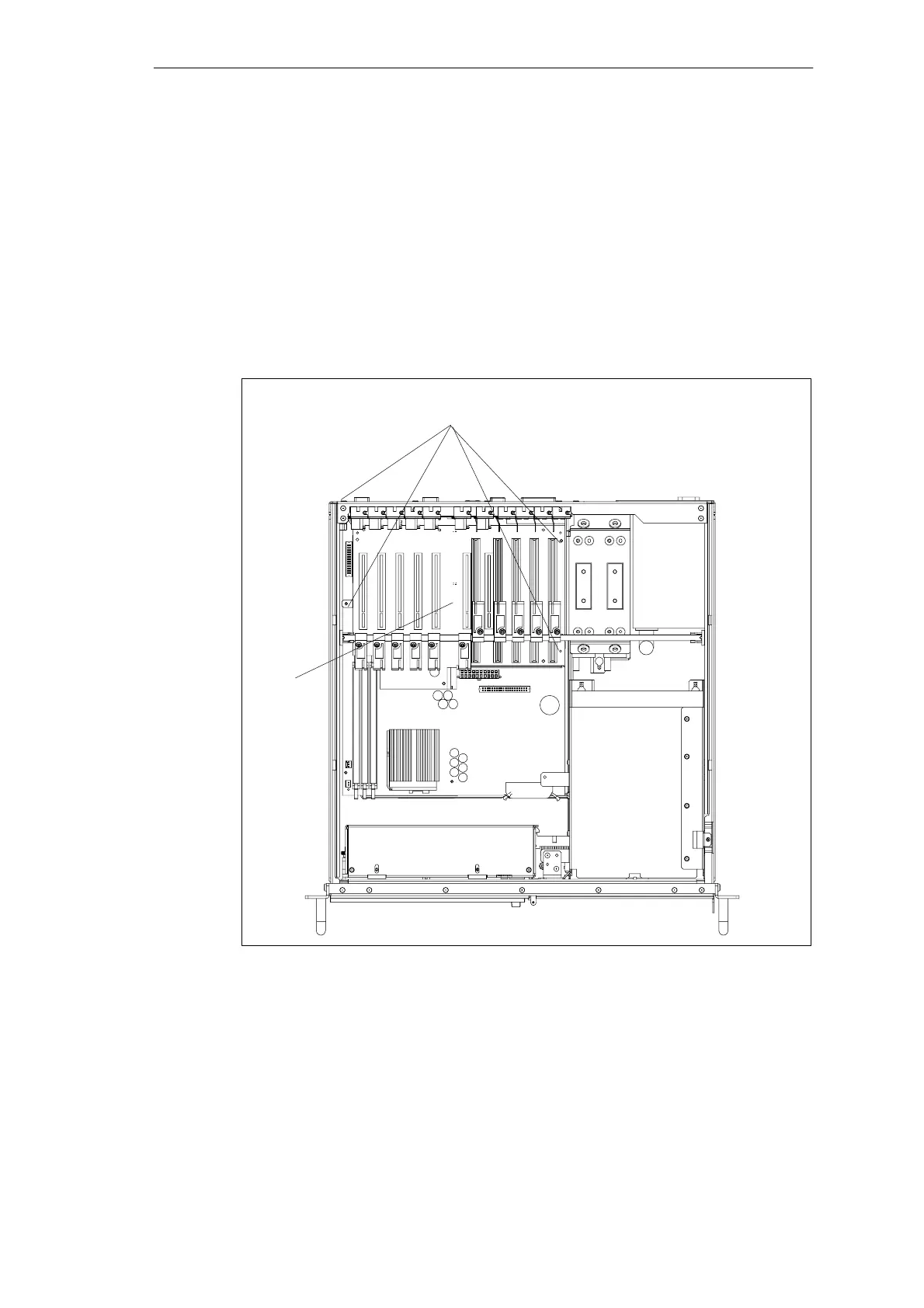
4. Undo the four screws on the bus board and one screw on the outside of the
rear housing wall.
5. Pull the bus board off the motherboard.
6. Proceed in reverse order to refit the bus board.
Fixing screw of the bus board
Bus board
Figure 4-13 Removal and Installation of the Bus Board












 To Next Page