Configuring the SIMATIC Rack PC 840
5-25
SIMATIC Rack PC 840 Manual
A5E00104826-03
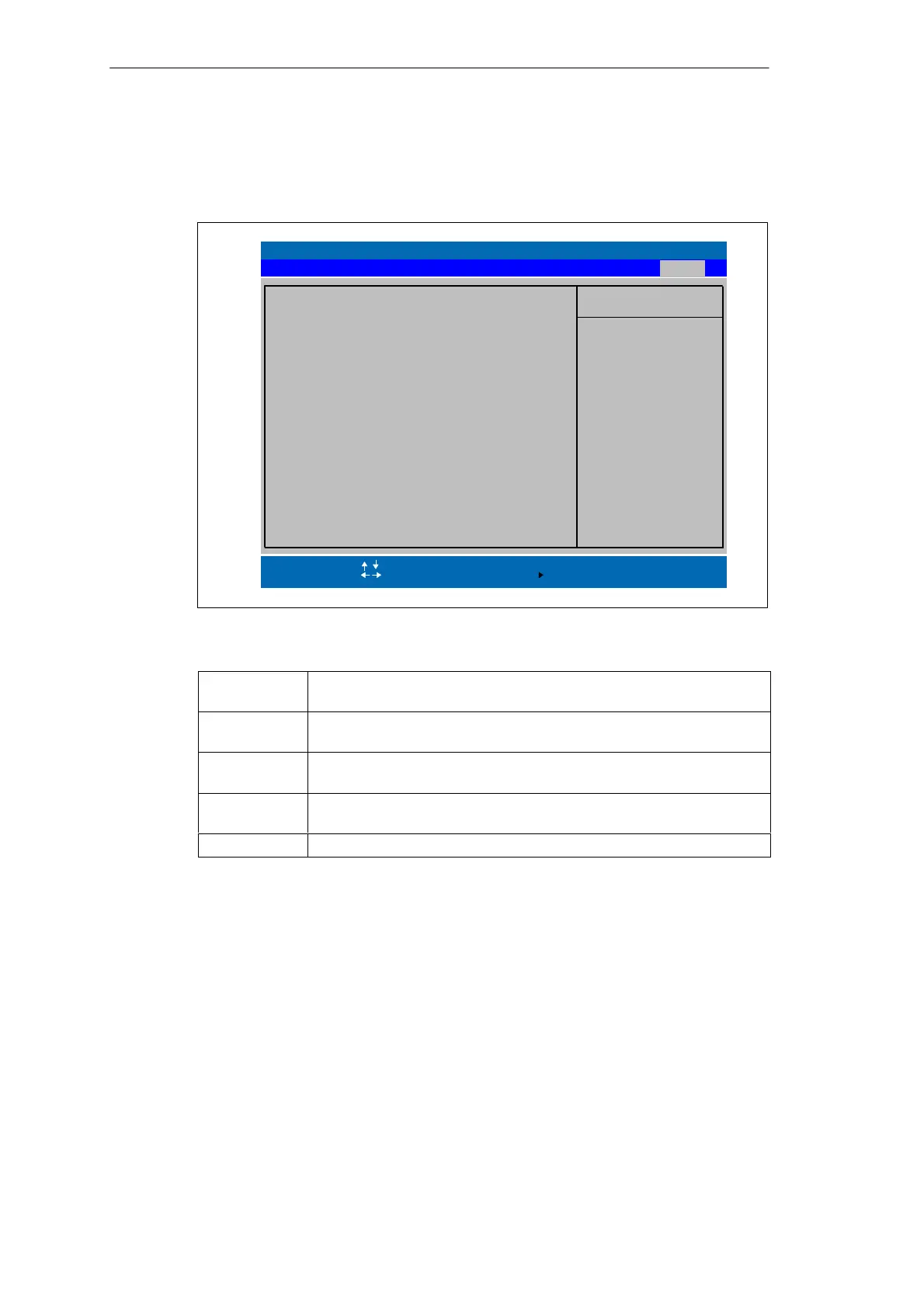
5.8 The Exit Menu
The setup program is always terminated using this menu.
PhoenixBIOS Setup Utility
Item Specific Help
ESC Exit
Select Item
Select Menu
+ / –
Select
Change Values
Sub-Menu
F9
F10
Setup Defaults
Save and Exit
Load Previous Values
Save Changes
Enter
Help
F1
Advanced SecurityMain Power
Exit System Setup and
save your change to
CMOS.
Boot Sequence
Save Changes & Exit
Exit Without Saving Changes
Version
Get Default Values
Exit
Figure 5-19 ”Exit” Menu
Save Changes
& Exit
All changes are saved; a system restart is carried out with the new
parameters.
Discard
Changes & Exit
All changes are rejected; a system restart is carried out with the old
parameters.
Get Default
Values
All parameters are set to safe values.
Load Previous
Values
The last saved values are reloaded.
Save Changes Save all Setup settings.












 To Next Page