Blocking Protection for Pumps with SIMOCODE pro V
Article ID: 109478058, V2.0, 09/2020
Observe all of the setup, assembly and wiring guides of the individual
components as found in their manuals and package slips.
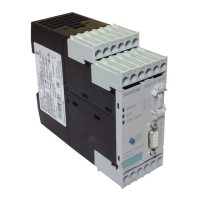
3. Wire the SIRIUS pro V PN basic unit as a reversing starter in accordance with
the quick guide in Getting Started \7\.
4. If, as intended in the application example, you want to display the "ON<",
"OFF" and "ON>" states with indicator lights or illuminated pushbuttons for
local control, use the output "OUT3" (terminal 7) of the basic unit to signal left-
hand rotation "ON<".
Place the 24 V contact supply on terminal 6.
5. If, as intended in the application example, you want to display the "ON<",
"OFF" and "ON>" states with indicator lights or illuminated pushbuttons for
local control, use the output "OUT 1" (terminal 21) of the digital module to
signal the stop state "OFF" and the output "OUT 2" (terminal 22) to signal right-
hand rotation "ON>".
Place the 24 V contact supply on terminal 20.
6. If you do not need status signaling for local control, you can remove the digital
module from the configuration. In the device configuration for "Control
device_1", right-click the digital module and select "Delete" in the context
menu.




 To Next Page