Blocking Protection for Pumps with SIMOCODE pro V
Article ID: 109478058, V2.0, 09/2020
3.2.3 Downloading configuration and parameterization to the SIMOCODE
pro V PN basic unit
You can download the configuration and parameterization to the SIMOCODE pro V
PN basic unit in the following ways:
1. via the PROFINET interface of the SIMOCODE pro V PN basic unit
2. via the SIMOCODE system interface of the SIMOCODE pro V PN basic unit or
operator panel
Downloading via the PROFINET interface of the SIMOCODE pro V PN basic unit
If the source system (PG/PC) is connected to the PROFINET interface of the
SIMOCODE pro V PN, proceed according to the instructions below:
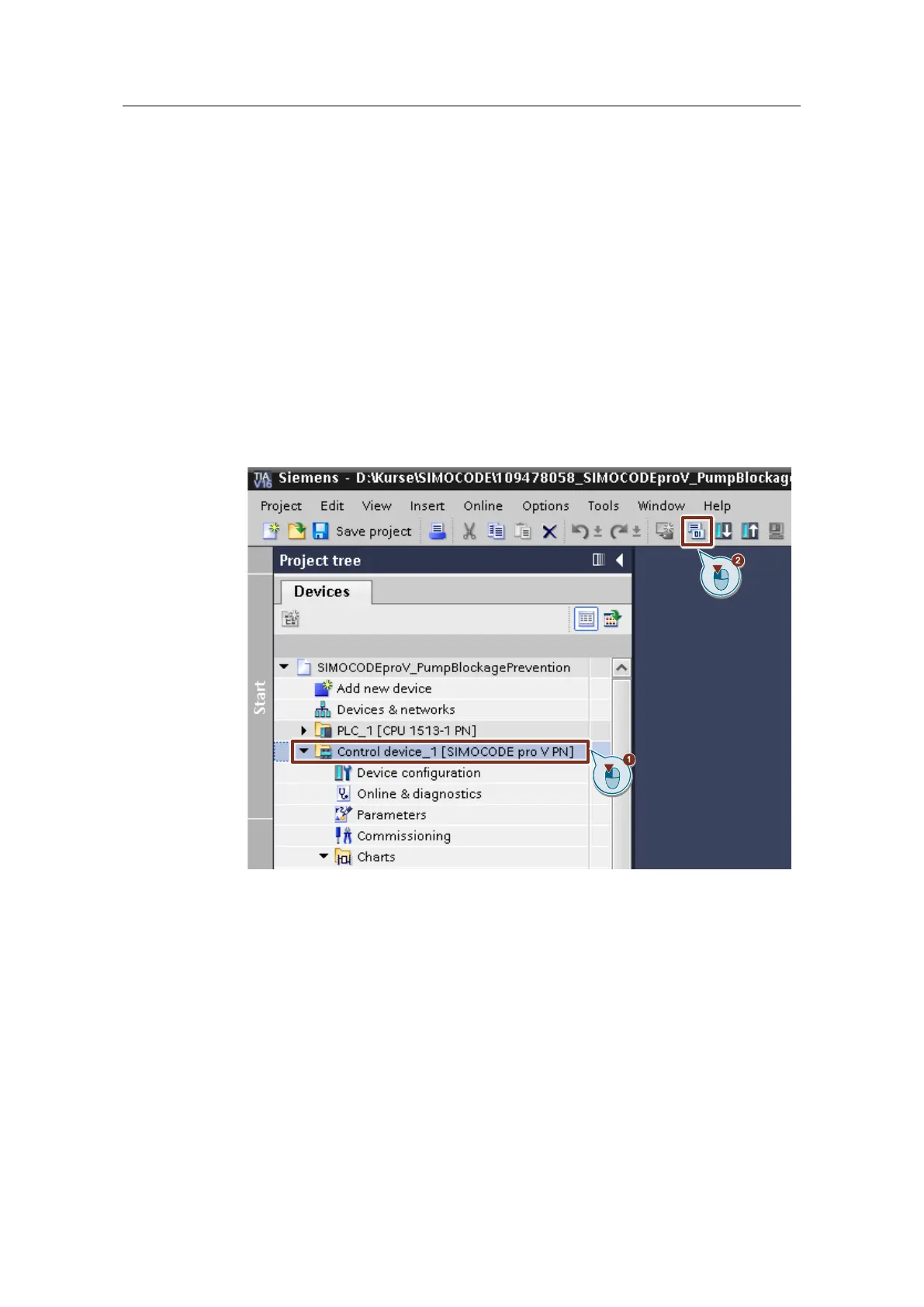
1. Select the SIMOCODE device in the project tree.
2. Click on the "Download to device" button in the function bar.
If downloading for the first time, the "Extended download to device" dialog will
open.
3. Make the following settings:
– Type of PG/PC interface: PN/IE
– PG/PC interface:
Ethernet interface of the source system (PG/PC) that is connected with the
PROFINET interface of the SIMOCODE pro V PN basic unit
– Connection to interface/subnet: Directly at slot '1'
4. Show all compatible devices (default setting).
5. Click the "Start search" button.
6. Check whether the correct device was found.
7. Click the "Load" button to start the load process.




 To Next Page