Blocking Protection for Pumps with SIMOCODE pro V
Article ID: 109478058, V2.0, 09/2020
3.3.1 Creating the hardware configuration
Add SIMOCODE device
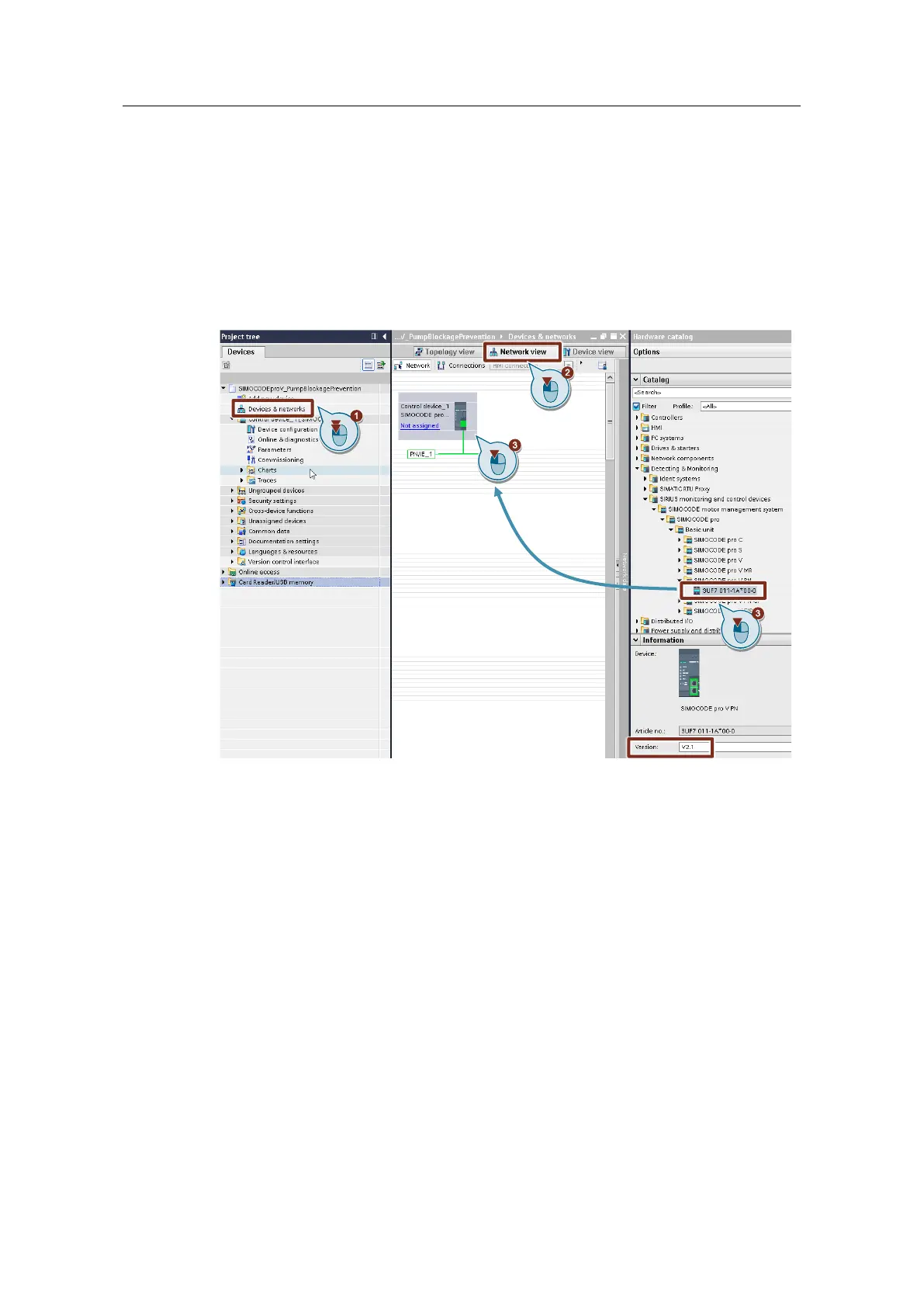
1. Double-click "Devices & networks" in the project tree.
The hardware and network editor will open.
2. Select the "Network view".
3. Drag and drop the SIMOCODE pro V PN (in the version you are using) from
the Task Card "Hardware catalog" into the graphical area of the Network view.
Figure 3-2
The name of the SIMOCODE device, which is now "Control device_1" in the
project tree and graphical area of the Network view, can be modified.




 To Next Page