Blocking Protection for Pumps with SIMOCODE pro V
Article ID: 109478058, V2.0, 09/2020
3.4 Operation
3.4.1 General remarks on Monitoring and Control
Control stations
The project engineering permits the following control stations:
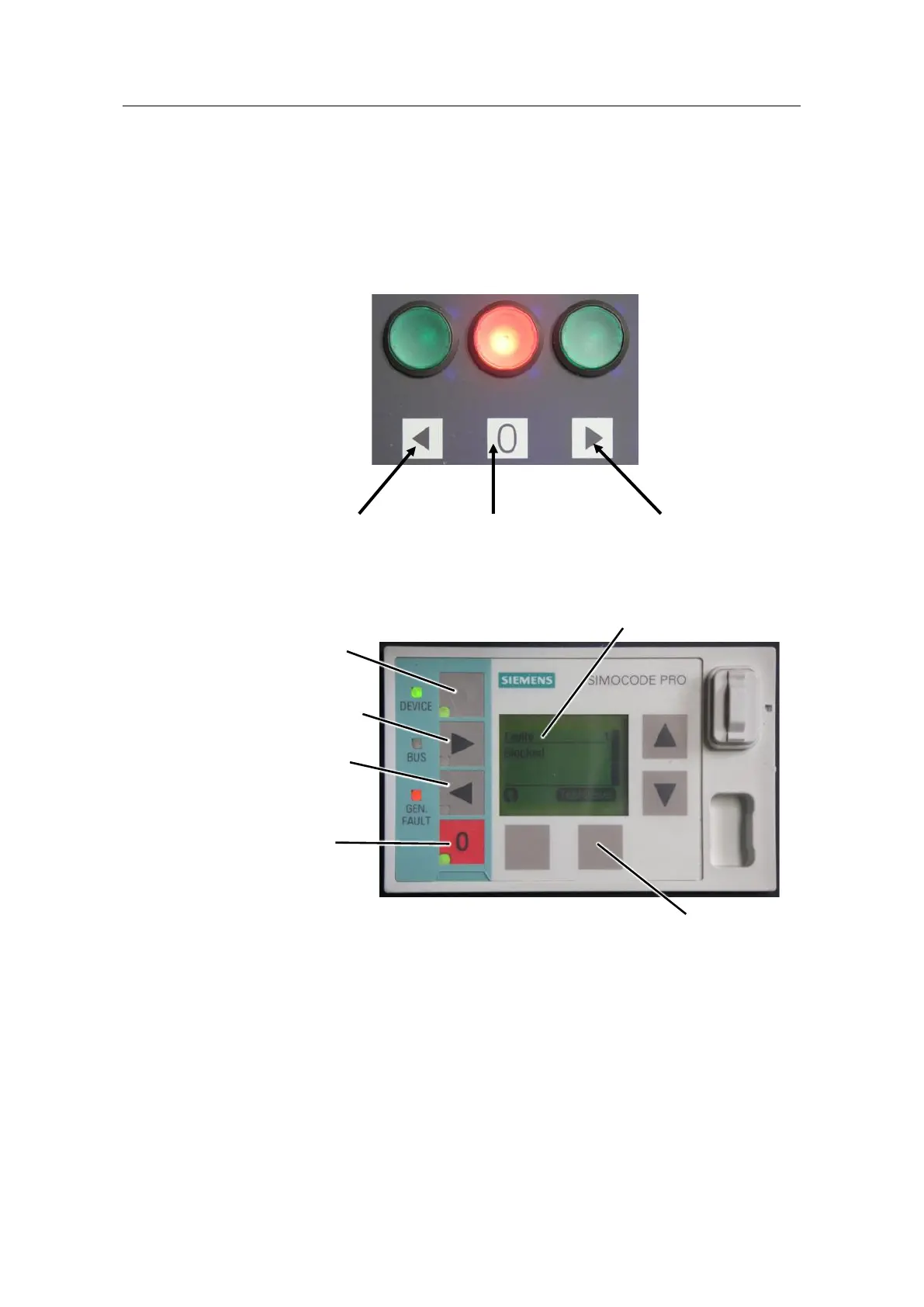
• Local control station, e.g. illuminated pushbuttons
The blockage prevention can only be disabled or enabled with button 1 on the
operator panel in the operating mode "Local 2" (see "Control stations -
Selection"). However, regardless of the operating mode ("Local 2" or
"Remote"), the LED in button 1 will always show the correct status of the
blockage prevention system.
A blockage that cannot be cleard will appear on the operator panel:
– The LED "GEN.FAULT" will blink red.
– The External fault 1 will be shown on the screen with the text "Blocked".
The fault is acknowledged with the softkey on the right.




 To Next Page