Blocking Protection for Pumps with SIMOCODE pro V
Article ID: 109478058, V2.0, 09/2020
Device configuration
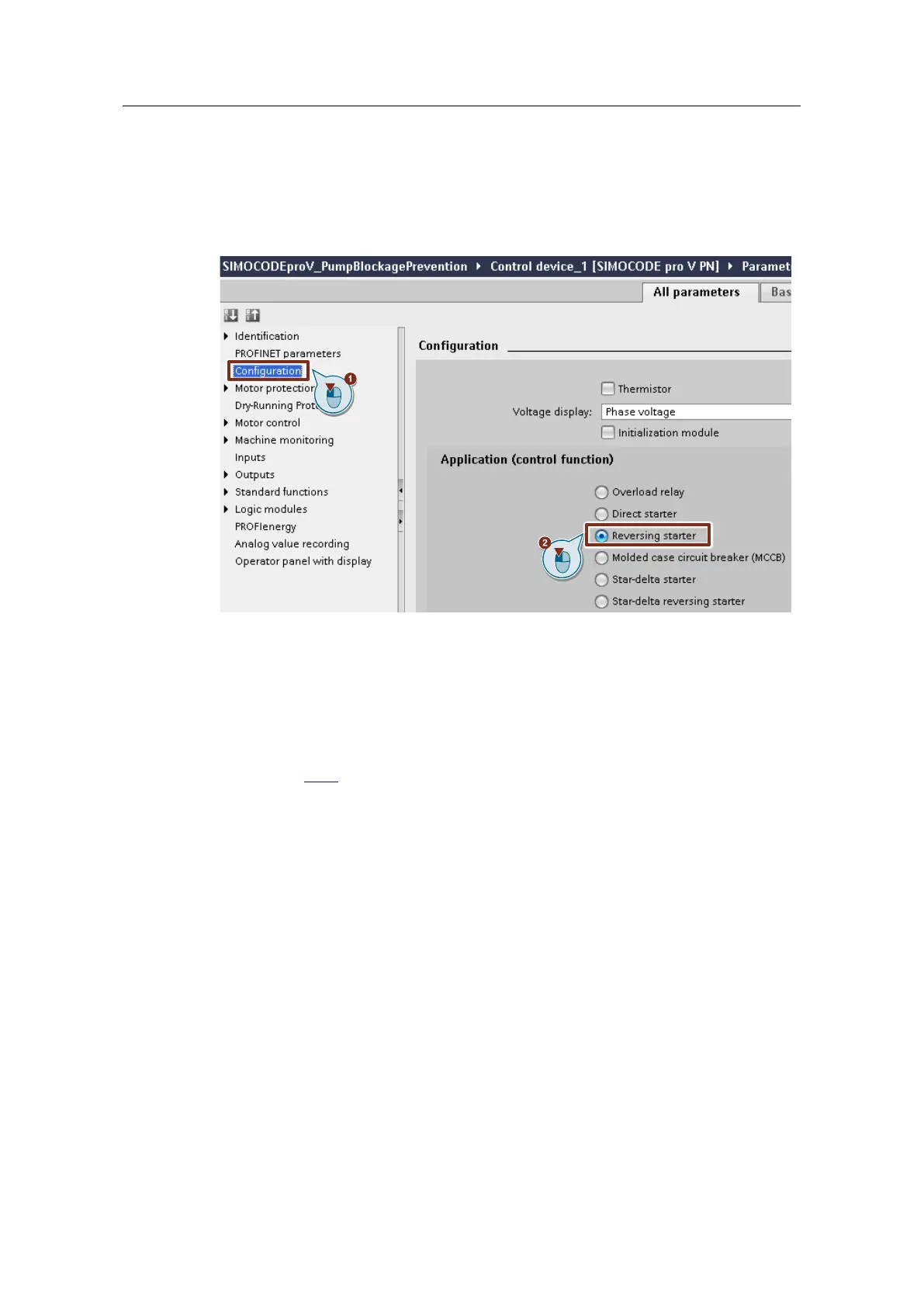
1. Switch to "Configuration".
2. Make sure that the SIMOCODE device is preconfigured as "Reversing starter".
Figure 3-4
Motor protection
1. Switch to "Motor protection > Overload/unbalance/stalled rotor".
2. Set the motor calculation current of the connected motor, "Set current Is1". The
setting in the application example is 0.5 A.
3. The trigger "Class" affects the activation of the limit monitors 2, 3 and 4 (see
chapter 2.2.2). They are parameterized such that they only become active after
a motor start is complete. For Class 10, the start procedure is defined from
10 s.
4. Make sure that the behavior in the event of a stalled rotor is set as
"deactivated".




 To Next Page