Blocking Protection for Pumps with SIMOCODE pro V
Article ID: 109478058, V2.0, 09/2020
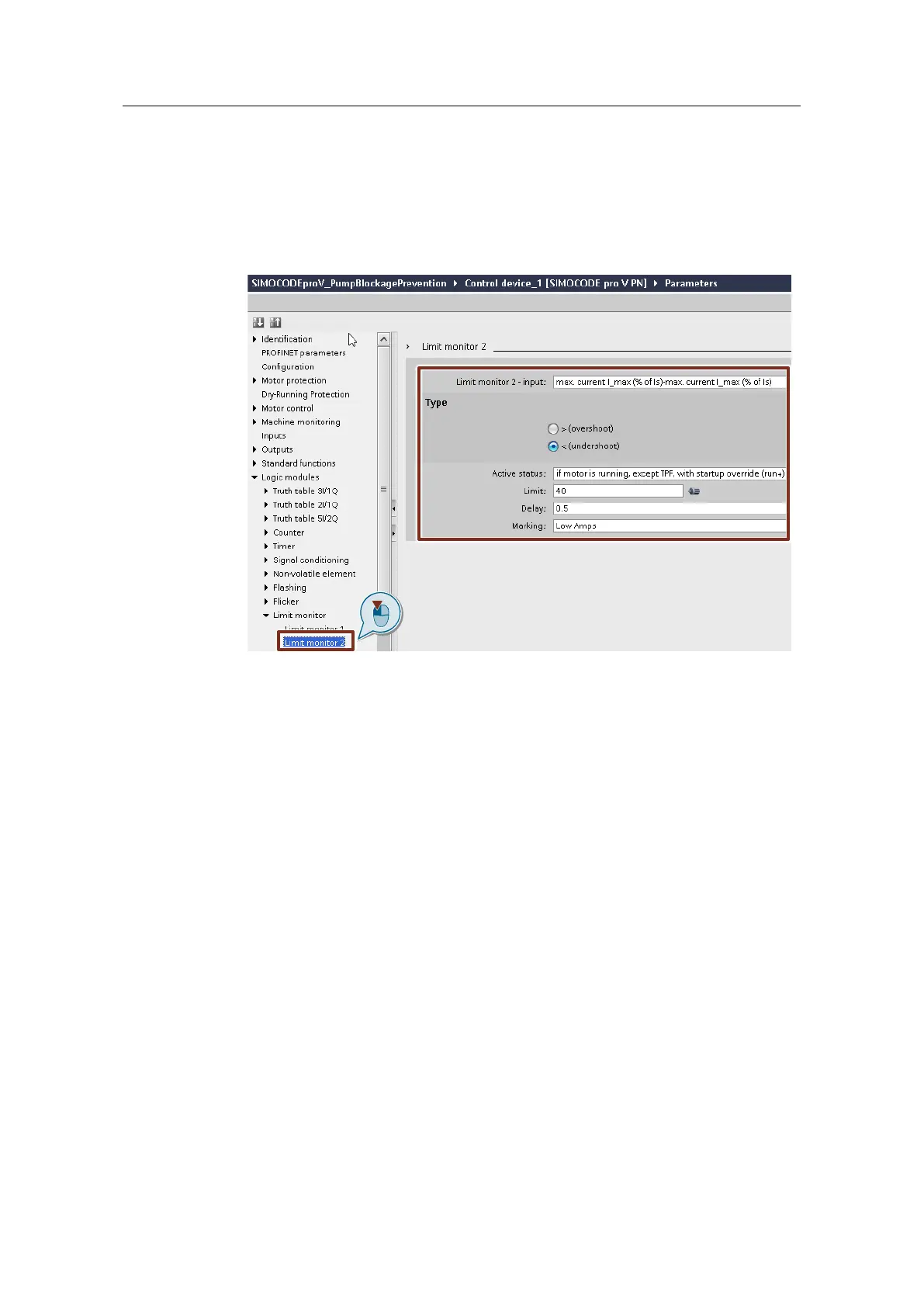
2. Under "Logic modules > Limit monitor > Limit monitor 2", parameterize the
"Limit monitor" function block for the current upper limit in forward flow
direction.
The limit monitor should only be active when the motor is running and after the
start procedure is complete ("if motor is running, except TPF, with startup
override (run+)").
The limit should be specified in %, based on the motor current at the input
plug. If necessary, assign a label.
3. Under "Logic modules > Limit monitor > Limit monitor 3", parameterize the
"Limit monitor" function block for the current upper limit in forward flow
direction.
The limit monitor should only be active when the motor is running and after the
start procedure is complete ("if motor is running, except TPF, with startup
override (run+)").
The limit should be specified in %, based on the motor current at the input
plug. If necessary, assign a label.




 To Next Page