Copyright © Sigicom AB 2019
1.3. Automatic Data Transfer through GSM/Internet
All files, which are stored on the CompactFlash, are normally sent to a
data server through GSM/Internet when:
• Monitoring is started or stopped.
• A trigger event has occurred.
• An error event has occurred, e.g. low battery.
• Manual connection is performed by the operator.
• Time has reached a scheduled time for data server connection.
The files are sent to a data server available through the Internet, where
INFRA Net can access them.
Note! 3G version can be identified by the product label and is 2G
compatible. It does not communicate faster than the 2G version.
1.4. Unpacking and Parts Identification
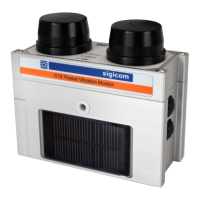
Your INFRA C12 Triaxial Vibration Monitor has been shipped in
protective packaging. Please keep this and use it when transporting your
equipment.
Verify the package content with the following list:
• C12 Triaxial Vibration Monitor instrument.
• Foam (which protects your C12 from shock during
transportation).
• CompactFlash inserted in the C12.
• Two (2) batteries, either inserted in C12 or separate.
Note! Because of shipping regulations, batteries may be
charged below 30% state of charge at delivery.
• Calibration document.
Any damage or shortage should be reported immediately to Sigicom.
Keep record of the instrument’s serial number. You will be asked to give
this number in any C12 related communication you may have with
Sigicom.


 To Next Page
 Loading...