SIGLENT
SDG2000X User Manual 109
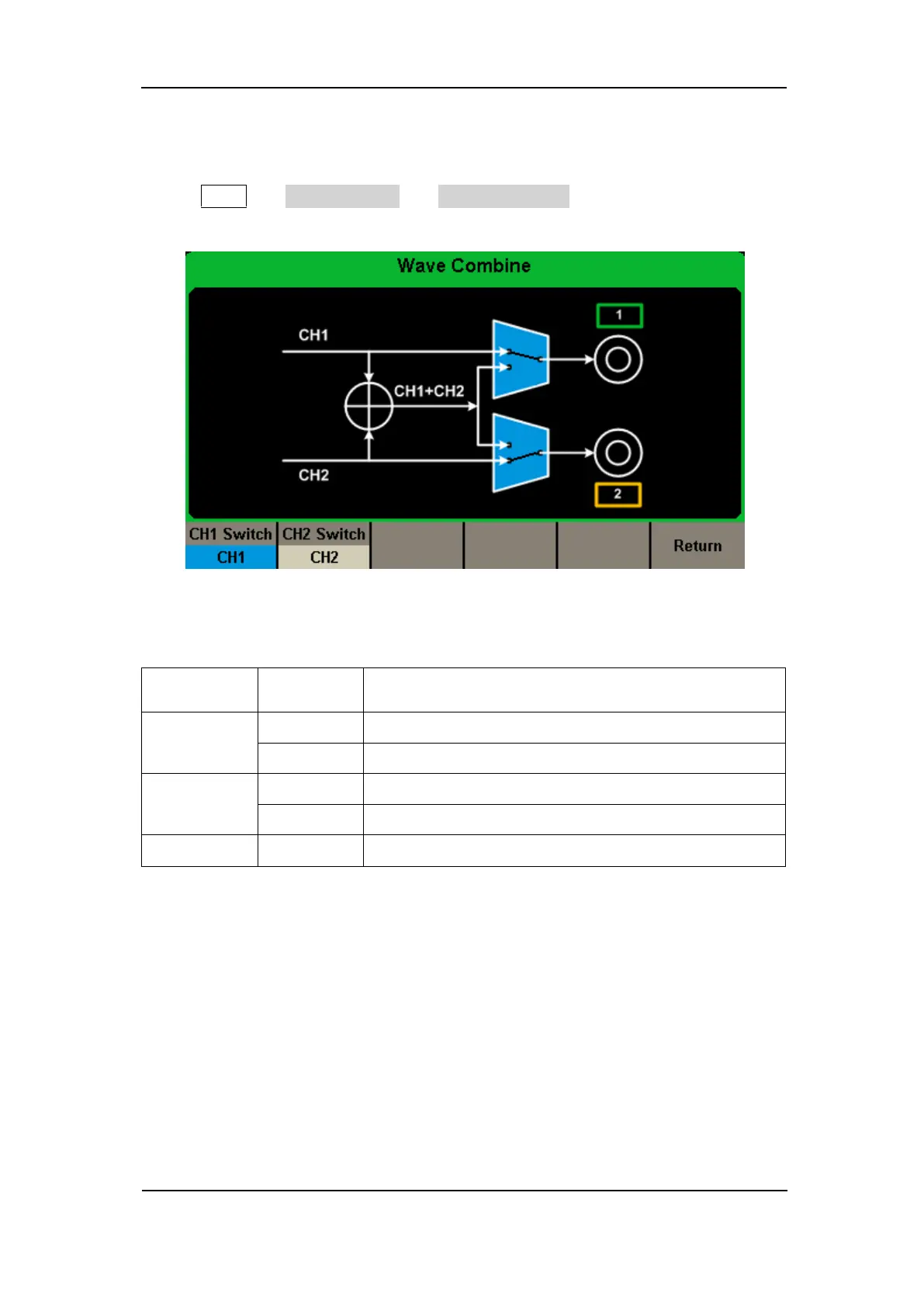
waveform of CH2 in the general mode while the waveform of CH1+CH2 can
be output in the combined mode.
Press Utility → Output Setup → Wave Combine to enter the waveforms
combining interface, as shown in the following figure.
Figure 2-67 Waveforms Combining Interface
Table 2-37 Menu Explanations of Wave Combine
Output the waveform of CH1.
Output the waveform of CH1+CH2.
Output the waveform of CH2.
Output the waveform of CH1+CH2.
Save the current operation and exit the current interface.
Note:
When the waveforms combining function is enabled, the load of two channels
will be set to the same automatically, default using the load value of the
currently operated channel.



 To Next Page