SIGLENT
8 SDG2000X User Manual
1.3 To Select a Waveform
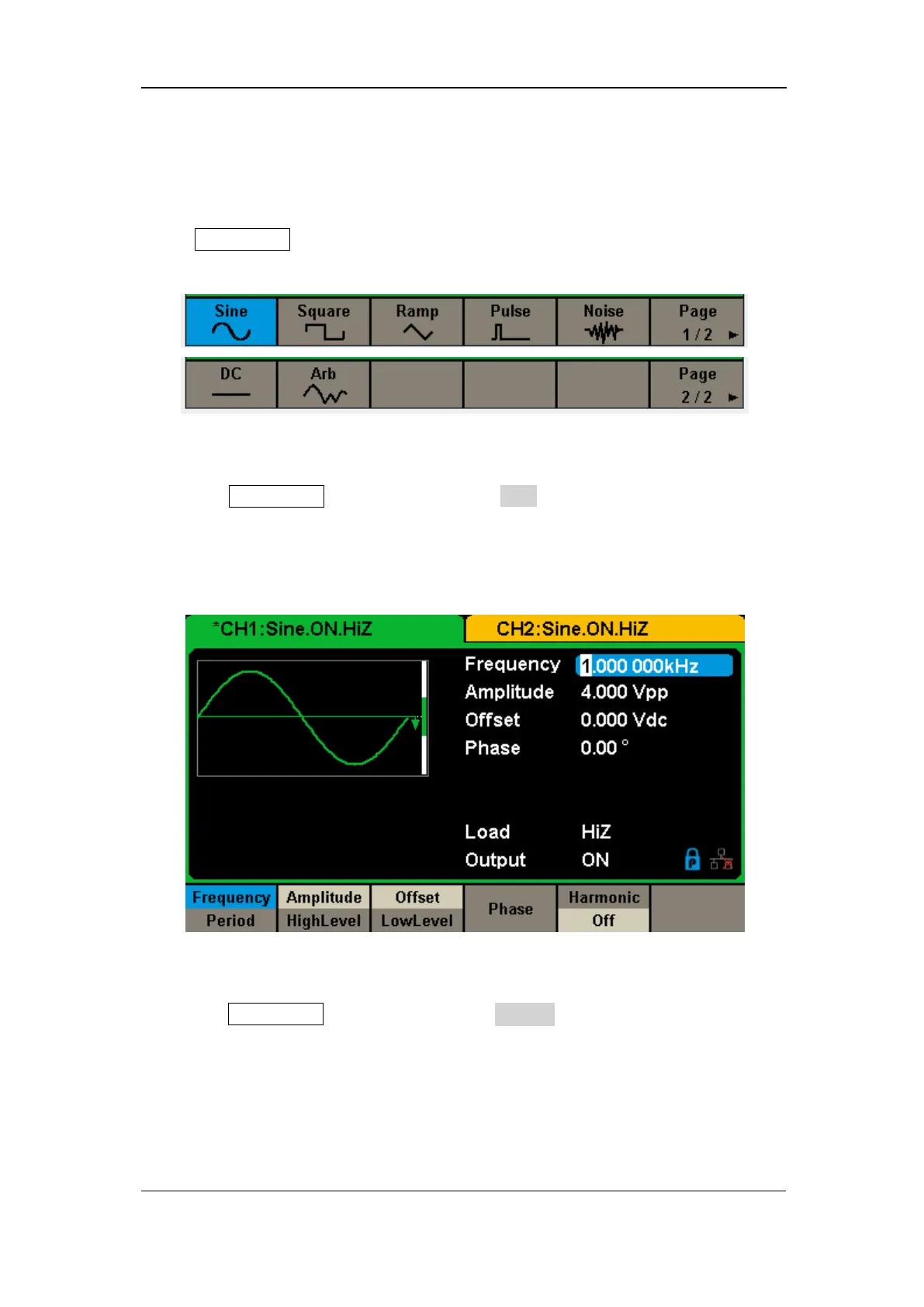
Press Waveforms to enter the menu as Figure 1-5 shows. The example below
will help familiarize with the waveform selection settings.
Figure 1-5 Waveform Selections
1. Press Waveforms key and then press Sine softkey. The SDG2000X can
generate sine waveforms with frequencies from 1μHz to 120MHz. By
setting Frequency/Period, Amplitude/High level, Offset/Low level and
Phase, a sine signal with different parameters can be generated.
Figure 1-6 Sine Display Interface
2. Press Waveforms key and then press Square softkey. The generator can
generate square waveforms with frequencies from 1μHz to 25MHz and
variable duty cycle. By setting Frequency/Period, Amplitude/High level,
Offset/Low level, Phase and DutyCycle, a square waveform with different
parameters can be generated.



 To Next Page