SIGLENT
SDG2000X User Manual 73
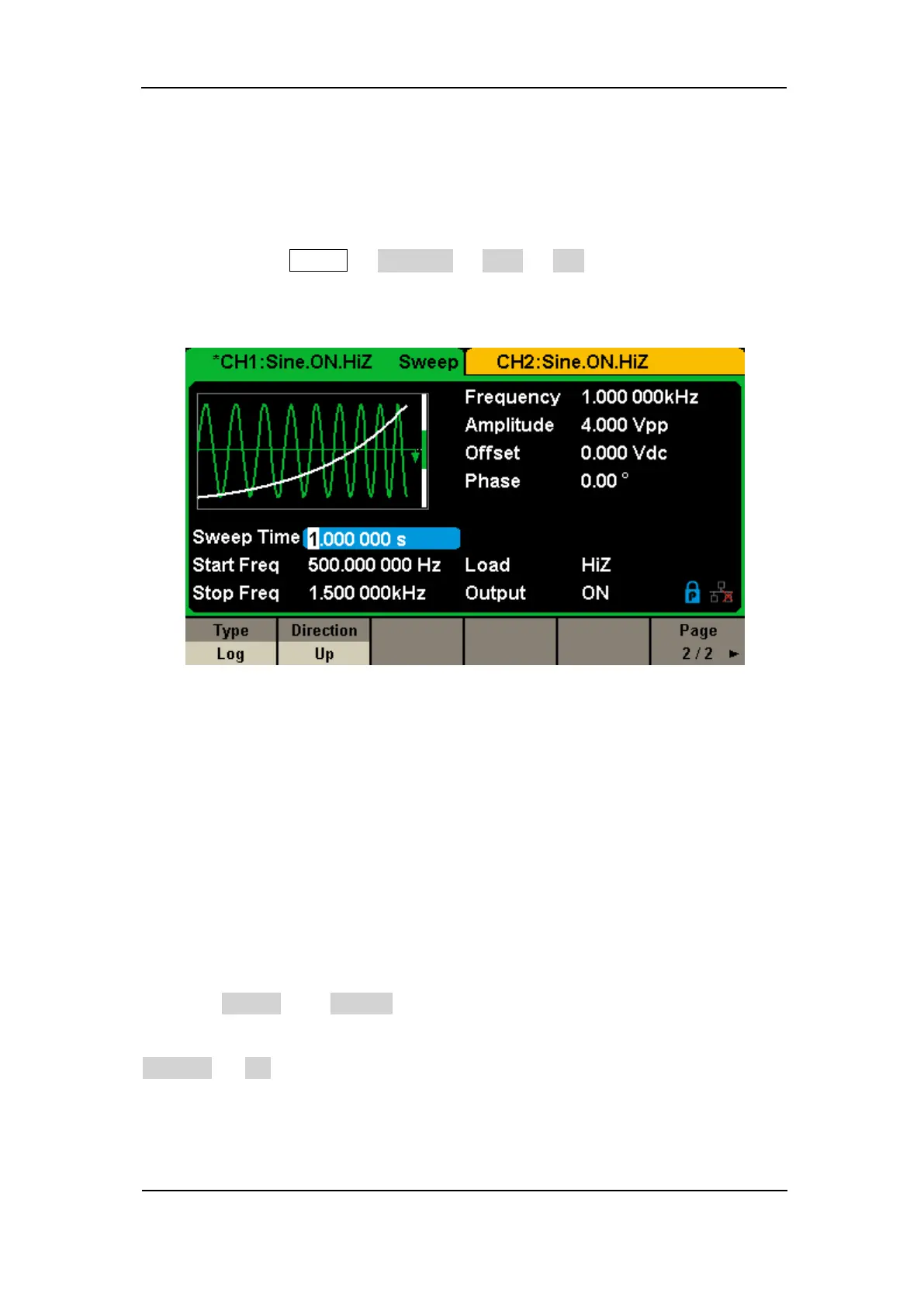
Log Sweep
In log sweep, the output frequency of the instrument varies in a logarithmic
fashion, that is, the output frequency changes in the way of “decade per
second”. Choose Sweep → Page 1/2 → Type → Log, there is an exponential
function curve displayed on the waveform on the screen, indicating that the
output frequency changes in a logarithmic mode.
Figure 2-37 Log Sweep Interface
Sweep Trigger Source
The sweep trigger source can be internal, external or manual. The generator
will generate a sweep output when a trigger signal is received and then wait
for the next trigger source.
1. Internal Trigger
Choose Source → Internal, the generator outputs continuous sweep
waveform when internal trigger is selected. The default is “Internal”. Choose
Trig Out → On, the [Aux In/Out] connector at the rear panel will output the
trigger signal.
2. External Trigger



 To Next Page