23
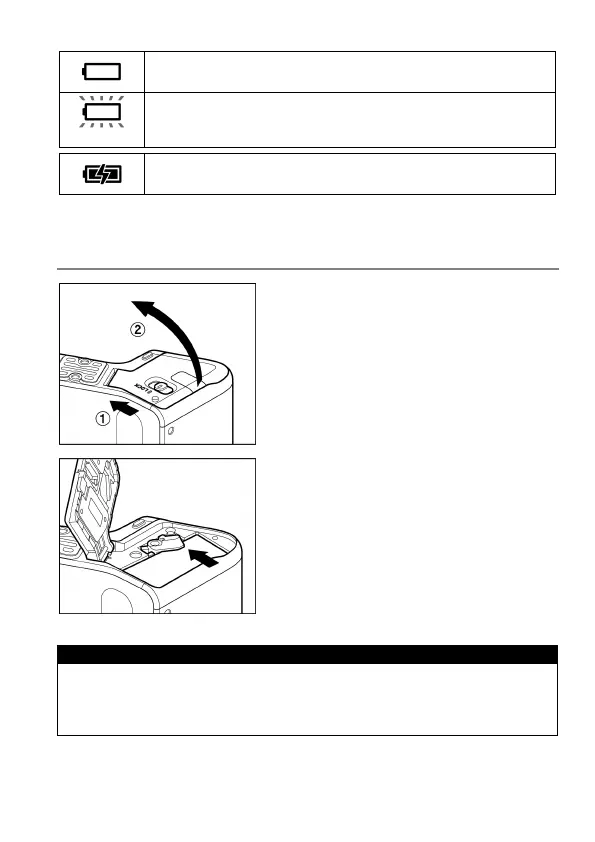
The power of the battery is insufficient, replace or recharge
the battery immediately.
The power of the battery is empty; the camera will no longer
work. Replace or recharge the battery immediately.
The battery is working with the connected AC adapter.
( P. 1 34)
TO REMOVE THE BATTERY
1
Slide the Release lever to the OPEN
position, and open the Battery Cover as
shown in the illustration.
2
Eject the battery by sliding the battery
compartment cover latch in the direction of
the arrow, as shown in the illustration.
WARNING!!
Busy Lamp is on or flashing, do not remove the battery or memory card.
By doing so, it may result in data loss. This could also cause damage to
the camera and/or memory card.



 To Next Page