25
SETTING THE TIME AND DATE
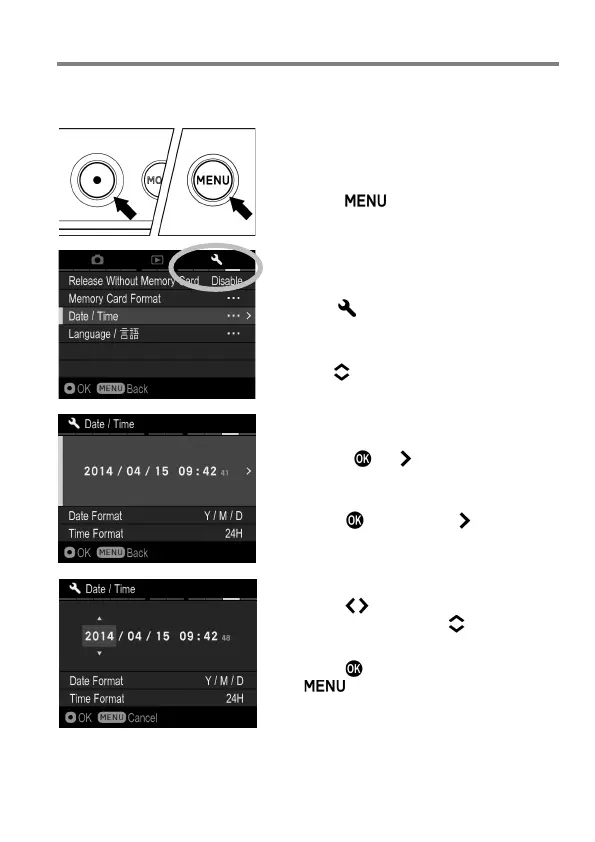
Please set the camera’s internal clock, before using the camera for the first
time or after extended periods of disuse.
1
Turn the camera on.
2
Press the button on the back of the
camera to display the Camera Set-up
Menu. (See P.27)
3
Select [ Camera Settings (4)] by
rotating the Front Dial or the Rear Dial.
4
Use the buttons to select [Date/Time].
5
Press the or button to open the
date/time set-up page.
6
Press the button or the button again
to set the Date / Time.
7
Press the button to select an item and
change it by pressing the button.
8
Press the button to apply the setting or
the button to return to the date/
time set-up page without making any
changes.



 To Next Page