36
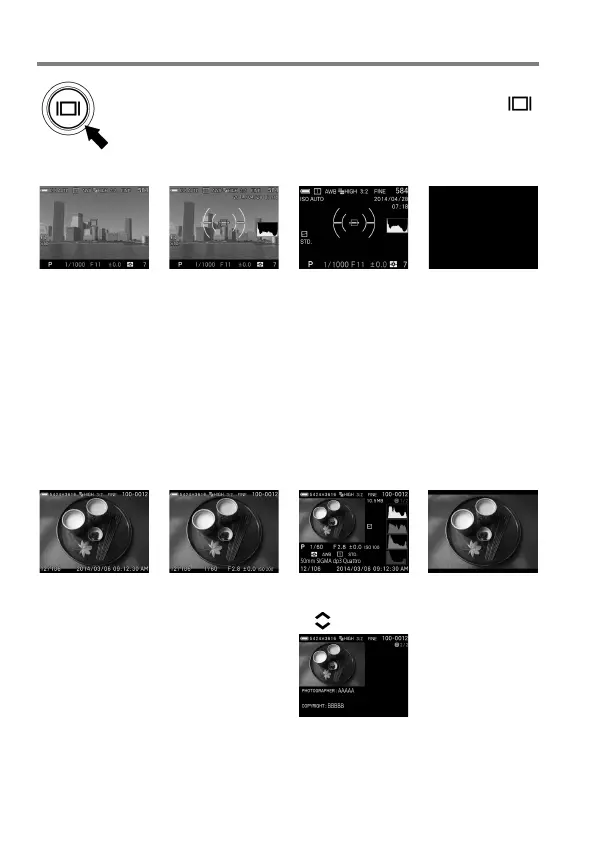
CHANGING THE COLOR LCD MONITOR DISPLAY
LCD Monitor Display can be changed by pressing the
button.
OPERATION
→
→
→
Refer P.14 [COLOR LCD MONITOR INDICATION] for the meaning of
each icon.
In the View Finder Mode, only Icons will be displayed.
Information to display on Display Mode 1 and Display Mode 2 can be
customized (Refer P.122).
The size of the icon displayed during operation on Viewfinder Mode and
LCD Off Mode can be changed (Refer P.122).
REVIEWING
→
→
→
Display Icons
(Display date and
time) (P.9
3)
Display Icons
(Display Image
I
nfo) (P.93)
1/2 Display Image
Info Screen (P.9
7)
2/2 Copyright
Information screen
( P. 9 7 )



 To Next Page