34
QUICK SET MENU
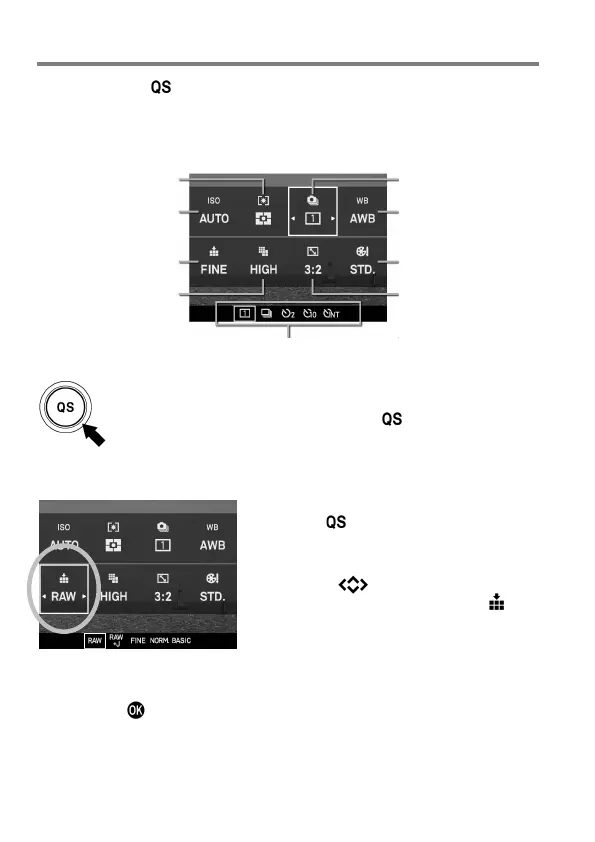
By pressing the button, it is possible to quickly access and change the
settings of the following most commonly used camera functions.
Quick Set Menu (Default)
( P. 7 3
7)
( P. 6 7
2)
( P. 6 9 )
9)
( P. 7 0 )
1)
Option list display of the selected items
When the camera is in the Still Image Mode, the Quick Set
Menu will be displayed by pressing the button.
For example, to change the quality of image to RAW
1
Press the button to display Quick Set
Menu.
2
Press the buttons to select the
section related to quality of image (
).
3
Rotate the Front Dial or the Rear Dial to
display [RAW].
4
By pressing or the shutter button halfway, the settings will be applied
and the camera will return to shooting mode.



 To Next Page