37
INSERTING AND REMOVING THE CARD
The dp3 Quattro camera uses a SD memory card, SDHC memory card and
SDXC memory card to store data.
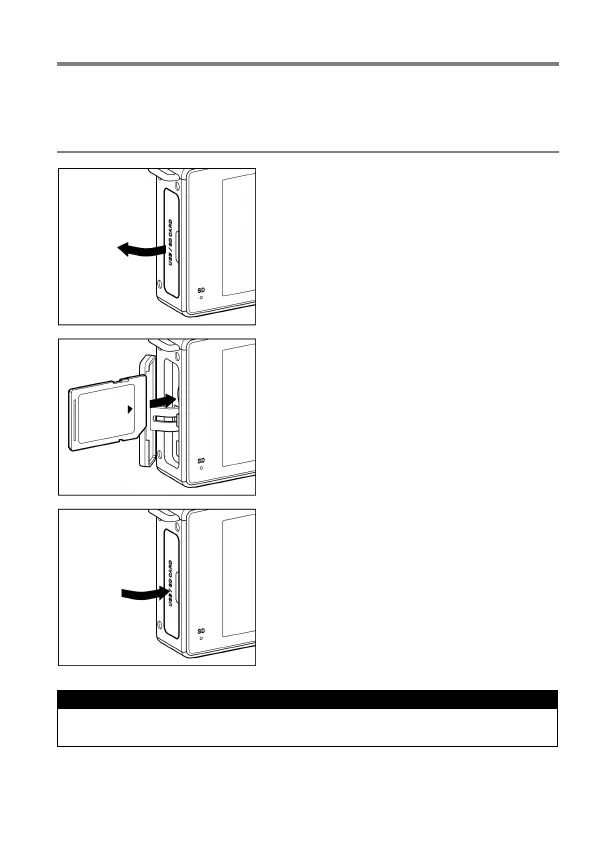
TO INSERT THE CARD
1
Turn off the camera and open the Card /
USB cover as shown.
2
Insert the card in accordance with the
instruction of Card / USB chamber.
Insert the card until it clicks.
3
Close the Card / USB cover.
TIP
It may be necessary to format the card before use. (See P.39)



 To Next Page