65
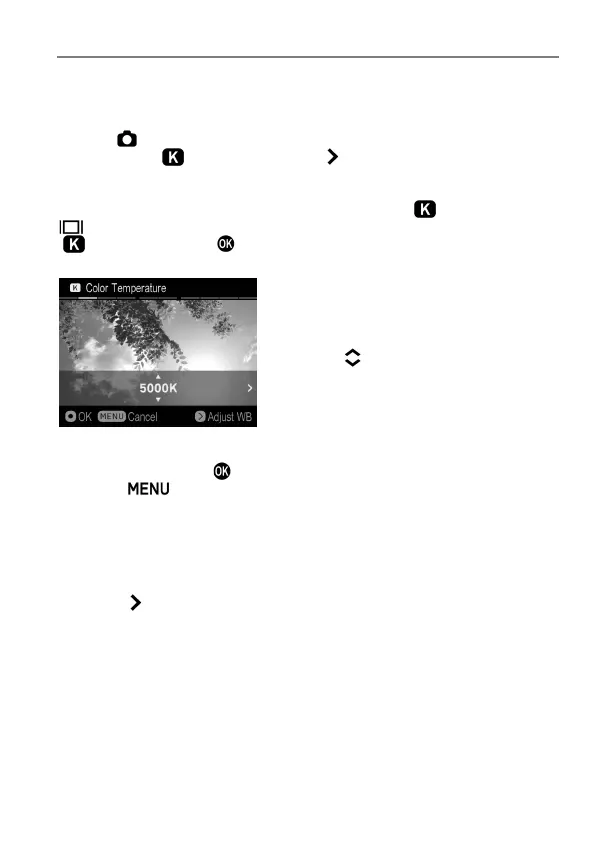
SETTING THE VALUE OF COLOR TEMPERATURE
White Balance can be adjusted by setting the color temperature in
numerical value.
1
Select [ Capture Settings] (P.27) → [White Balance] → [Color
Temperature ] and press the button to display the Color
Temperature setting screen.
To set from the Quick Set Menu (P.34), select [ ], and press the
button to display the Color Temperature setting screen. (After selecting
[ ] and pressing the button or the shutter button “half-way”, images
can be taken at the value set previously.)
2
Press the buttons to set the value.
3
To confirm, press the button. To return without making any changes,
press the button.
White Balance can also be adjusted when setting the color
temperature.
1
Press the button to display the White Balance Adjustment screen on the
Color Temperature Setting screen.
2
Follow the instruction
2
and onwards in [ADJUSTING WHITE BALANCE]
in the previous page.



 To Next Page