138
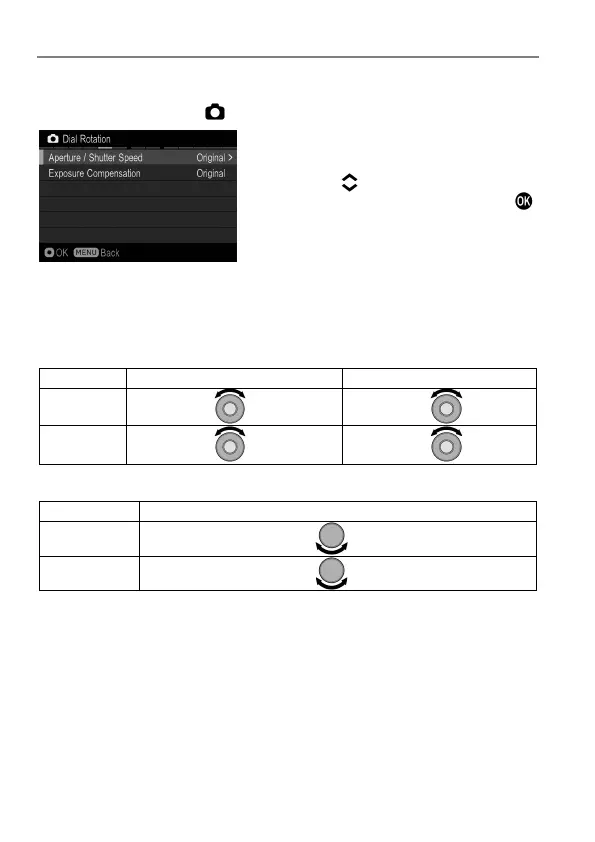
DIAL ROTATION
It is possible to reverse the dial direction.
It is possible to set from [ Capture Settings] (P. 30) → [Dial Rotation].
Select the option you want to change by
using
the
buttons. Then
select
[Original] or [Reverse] and press the
button to apply the setting.
Dial operation in each exposure mode
(when [Switch Dial Functions] is in an initial setting)
Aperture / Shutter speed
Open
Stop down Slow
Fast
Reverse
Stop down
Open Fast
Slow
Exposure compensation
Exposure Compensation Value
Under Expose
Over Expose
Reverse
Over Expose
Under Expose



 To Next Page