66
When [ Camera Settings](P.30) → [Sound Settings] → [Timer
Volume] menu is set to [0], the electronic sound will not beep even if the
self-timer is operated.
If you want to cancel the self-timer operation, please turn off the camera.
INTERVAL TIMER
It is possible to take pictures automatically at selected intervals.
1
Select [ Capture Settings] (P. 30) → [Drive Mode] → [Interval timer],
and press the button to move the interval timer setting screen. (When the
button is pressed after selecting [Interval timer], the current setting will
be applied.)
When the Interval timer shooting mode is set in the Quick Set menu (P. 38),
select [ ] and press the button to display the Interval timer setting
screen (By pressing the button or the shutter botton halfway after
selecting [ ], the current setting will be applied.).
2
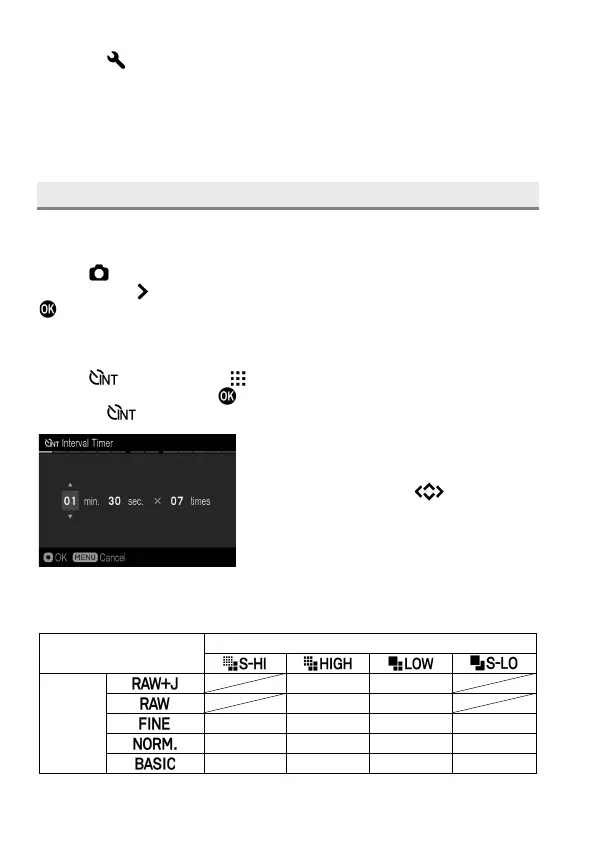
Set the desired interval and number of
exposures by using the buttons.
(Interval can be set from 4 seconds to 60
minutes. The number of exposures can be
set between 2~99 times, or unlimited (∞).)
Depending on the combination of Image Quality and Image Size, the
shortest interval will vary.
Image Size (Resolution mode)
Image
Quality



 To Next Page