85
Setting the compensation amount by using only Rear dial can be
prohibited. Select [Off] from [ Capture Settings] ( P. 30) → [Dial
Exposure Compensation].
(By setting [Off] and rotating the Rear dial without pressing the button
results in the same operation as the Front dial being rotated.)
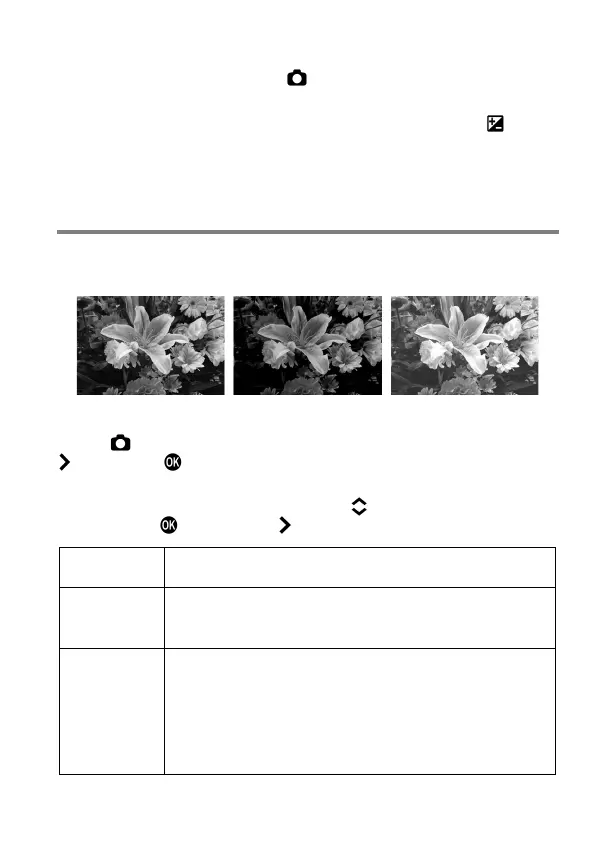
AUTO BRACKETING
By setting the exposure judged as appropriate by the camera, it is possible
to take pictures with a brighter exposure and a darker exposure in a series.
1
Select [ Capture Settings] (P. 30)
→
[Auto Bracketing], and press the
button or the button to move the Auto Bracketing setting screen.
2
Select an item to be changed by using the button. Then open the sub
menu with the button or the button.
Select the number of pictures to be taken from three or
five.
Bracketing
Amount
Set the shifting amount of exposure from the appropriate
exposure value.
It can be set in 1/3 stop increments up to ±3
Bracketing
Order
It is possible to change the Auto Bracketing Order.
0
-
+
(Default)
appropriate exposure
→
under exposure
→
over exposure
-
0
+
under exposure
→
appropriate exposure
→
over exposure
+
0
-
→
→



 To Next Page