150
USING A HOME POWER SUPPLY
(sold separately)
You can power the camera from a wall outlet using the provided AC
Adapter SAC-7 and DC Connector CN-31. When using your camera for an
extended period of time, reviewing the pictures or connecting the camera to
a computer, we recommend that you operate the camera from a household
power outlet.
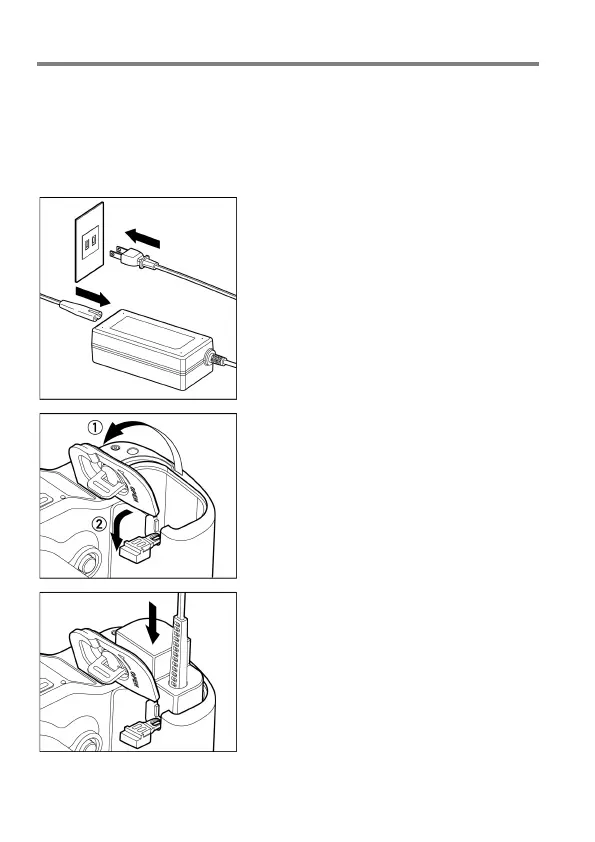
1
Connect the AC cable to the AC adapter.
2
Open the Battery Cover, and open the DC
connector cover as shown in the
illustration.
Do not pull too hard on the DC connector
cover as it may come away from camera
body.
3
Insert the DC connector as shown in the
illustration until it is locks into place.



 To Next Page