75
SETTING
THE
SENSITIVITY
(ISO
EQUIVALENCY)
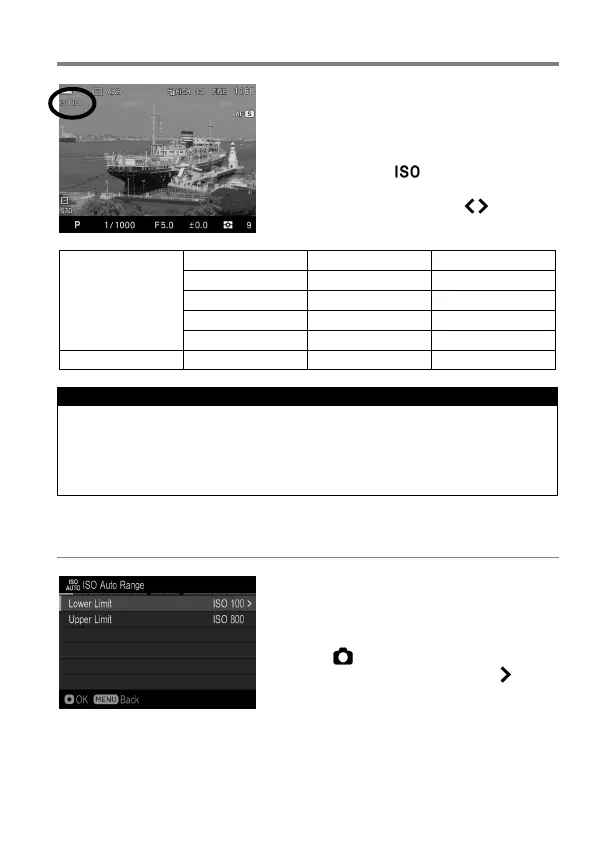
The photosensitivity of digital cameras is
described in terms of “ISO equivalent” like
silver-halide film cameras.
By pressing the button, select the
desired ISO Sensitivity by using the Front
and Rear dials, or press the buttons.
ISO Auto
(Auto)
(Default)
CAUTION !!
When Exposure Mode is set to M mode, it is not possible to select [ISO
Auto]. When AUTO is selected in S, A, P mode and then changed to M
mode, images are taken at the lower limit set in the next section [ISO
AUTO RANGE].
ISO AUTO RANGE
It is possible to set the Lower limit and
Upper limit of the ISO Sensitivity in ISO
Auto mode.
1
Select [ Capture Settings] (P. 30) →
[ISO Auto Range], and press the button
to move to the ISO Auto Range setting
screen.
2
Set [Lower limit] and [Upper limit].



 To Next Page