98
CUSTOM MODE
It is possible to customize the Custom Mode Setting. (Up to three patterns
can be stored.)
The following settings are available.
All items in [ Capture Settings] (Blue Tab) (P. 30)
Exposure mode (M, S, A, P) (P.49)
Setting Value for Aperture / Shutter
Setting the focus frame (P.59)
Exposure compensation ( P. 84)
ISO Sensitivity (P.75)
AE Metering Mode (P.81)
SAVE THE CUSTOM MODE SETTING
1
Set the above settings to your desired combination.
2
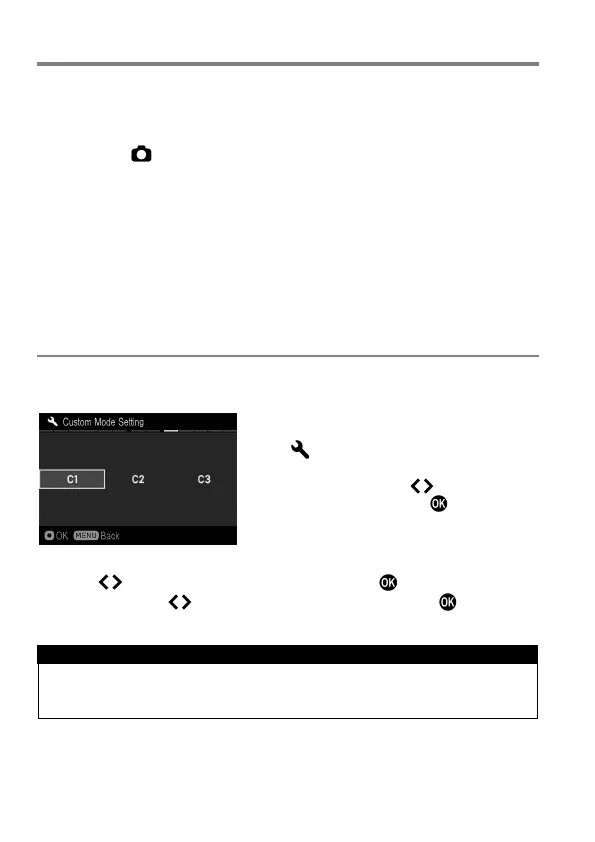
In [ Camera Settings] (P.30) →
[Custom Mode Setting], select from C1,
C2 or C3 by using buttons. After
selecting, press the button. A
confirmation dialog will appear.
3
Use the buttons to select [Yes], and press the button to confirm.
To cancel, use the buttons to select [No] and press the button.
WARNING !!
When the new setting is saved, the previous stored setting will be
overwritten.



 To Next Page