154
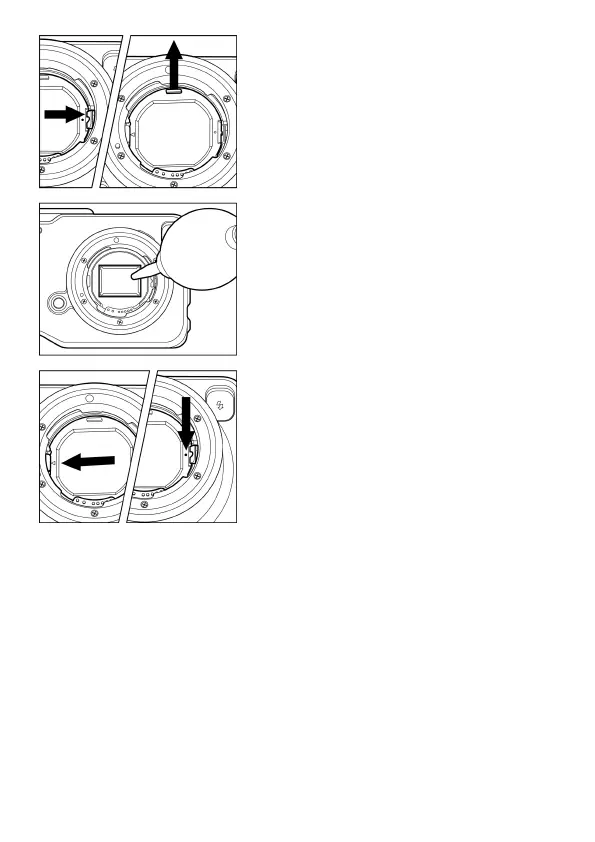
2
Slide the dust protector attachment lever
by using a commercially available tweezer.
Remove the dust protector by catching the
tab at the upper section.
(Be careful not to touch the glass on the
dust protector.)
3
Carefully blow away any dust from the
image sensor using a blower.
4
Check that there is no dust or dirt on the
dust protector.
Attach the protector at the tab of the main
body indicated by the ◀ mark. Then push
the protector at the ● mark with a finger so
the protector is fixed to the main body with
a clicking sound.
If the dust or dirt cannot be removed with the above-mentioned
procedure, consult with Sigma authorized service personnel. If you see
fingerprints on the glass portion of the dust protector, first use a blower to
remove any dust, then gently wipe it with a soft, clean cloth.



 To Next Page