35
(2)
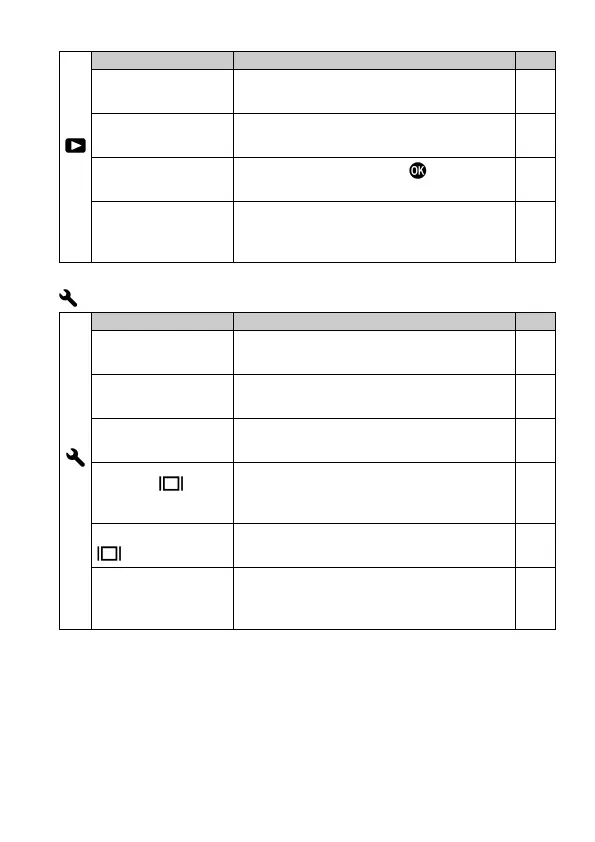
It develops JPEG format images from
RAW files.
127
Sets whether or not the over-exposure
warning is shown on images.
122
Sets the function that the
button will
perform during image review.
122
Image Rotation
Sets whether or not vertically orientated
images are automatically rotated and
—
CAMERA SETTINGS
(1)
Register the setting of Custom Mode (C1
/ C2 / C3).
98
Custom QS
Selects which functions to allocate to the
Quick Set menu.
39
Enables users to change the contents to
be locked with the LOCK switch.
139
Monitor Mode
Settings
Sets ON/OFF six Display Modes of the
Main-Monitor and details of their
133
View Finder
Mode Settings
Sets ON/OFF four Display Modes of the
Viewfinder and details of their contents.
133
Outer Frame
Display
Enables to set the Outer Frame Display
on the shooting screen (when the aspect
ratio is set other than 3:2).
79



 To Next Page