SDS Series
25
Programming
Note. The SDS-50 controller is factory default set for the DataCoils™ to be assigned in a
matching numeric sequence, i.e. [Station (1) is valve (1)], [Station (2) is valve (2)] etc. If
you wish to change this, proceed to section TWO-WIRE—Assign Valves.
Default for the master pump is number 49. This PumpNode is supplied pre-programmed
with the controller. Additional PumpNodes can be programmed and assigned to programs
for additional pumps. The programs are designed for a maximum of 1 pump per program.
If a master valve is used program a DataCoil™ at the controller TW programming port to
the address number selected. (49 is default)
SETTING TIME & DATE:
Enter The Time
00 : 00 : 00
Use scroll < > keys and enter the current time
with numeric keys. Note it is in hr:min:sec
Enter The Time
< Press Enter >
TIME & DATE
< Press Enter >
Enter Date D/M/Y
< Press Enter >
Use scroll < > keys and
enter date with numeric keys
On first powering up, the time will need to be set to your
current time and date. The controller will display this
Current day Date
Current time
From the current Time
and Date display scroll
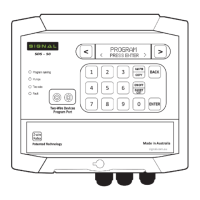
PROGRAM
< Press Enter >
Use numeric keys to se-
lect program number
Enter start time with numeric
keys. Hr:min:sec, select am/pm
Use < > keys to
advance to starts 2-4
<P# Option >
Time
P# Water Days
SMTWTFS SMTWTFS
< P# Start time# >
00 : 00 : 00 Am
Use < > keys to
select days
< P# Mode >
Normal
P# Master Pump
Default
SETTING UP A BASIC PROGRAM:
< P1 Start Time 1 >
NONE
Use < > keys if selecting
volumetric option
To select
12hr or 24hr
When selection
complete
Set Time Format
< Press Enter >
Set Time Format
< 12 Hours >
Program Entry
< Press Enter >
P1 Day Options
< NONE >

 To Next Page
 Loading...