
 Need help?
Do you have a question about the Signal SDS Series and is the answer not in the manual?
Introduces the SDS Series irrigation controller, its design, and primary functions.
Details essential electrical safety guidelines and compliance requirements for controller operation.
Outlines safety measures for digging, electrical work, and personal protective equipment.
Highlights the key features, capacity, and operation of SDS-50 and SDS-100 models.
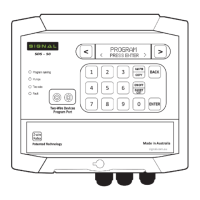
Explains the function of the controller's keypad and interface elements for navigation and control.
Details the function of LED indicators on the circuit boards for status and fault diagnostics.
Describes the enclosure's modern design, durability, and ease of access features.
Provides instructions on securely mounting the controller unit using its mounting points.
Details the procedure for attaching and removing the front panel of the controller.
Covers essential installation steps, including placement, clearance, and wiring.
Essential steps for protecting the controller and two-wire system from lightning strikes.
Specifies the required environmental conditions and electrical supply for the controller.
Details the requirements and best practices for installing two-wire cables for reliable operation.
Introduces the controller's menu-driven system for programming irrigation schedules.
Explains how to select and assign functions to various two-wire devices like DataNodes.
Describes the port used for programming and configuring two-wire devices connected to the controller.
Provides a structured overview of the controller's menu navigation paths.
Details shortcut key combinations for quick access to program status and fault details.
Step-by-step instructions for creating a fundamental time-based irrigation program.
Guides on manually starting, stopping, and testing individual stations or valves.
Instructions for correctly setting the controller's internal clock and date for accurate scheduling.
A guide to creating a basic irrigation program using default controller settings.
How to configure programs that repeat watering cycles within a specified time frame.
Setting up frost control programs using sensors to prevent freezing conditions.
Programming irrigation based on water volume (litres) rather than run time.
Setting up water meters, pulse ratios, and assigning them to programs for flow monitoring.
Activating and configuring the auxiliary pump for chemical or fertilizer injection.
Methods for temporarily pausing or deactivating programs due to rain or other conditions.
Adjusting station run times by a percentage to modify watering duration.
Procedures for resetting or clearing programmed irrigation schedules and settings.
How to check the current status of active and programmed irrigation cycles.
Guides for manually starting, stopping, and testing specific programs or stations.
Accessing system logs, fault history, and water meter readings for diagnostics and monitoring.
Configuring water meter pulse ratios and precipitation rates for HydroSectors.
Setting up delays for pressure, water flow, and last station on/off events.
Managing two-wire devices including viewing online status, assigning valves, and manual operation.
Detailed steps for programming addresses and input types for DataNodes and DataValves.
Setting up and configuring various input sensors like pressure, pause, and moisture sensors.
Configuring station flow limits and enabling leak detection for system monitoring.
Information on integrating weather station data for program adjustments.
A comprehensive guide to setting up and programming matched-precipitation HydroZones.
Utilizing the auto-programming option to automatically calculate watering parameters.
Procedure for resetting the controller to its original factory default settings.
Identifies the primary plug-in modules and components of the SDS Series controller.
Step-by-step guide for performing initial checks to diagnose common controller faults.
Detailed instructions for safely replacing logic and output modules within the controller.
Understanding current draw specifications to diagnose issues with DataCoils and wiring.
Methods for identifying faulty field valves, DataCoils, and cable problems using online status.
A comprehensive guide to detecting and tracing short circuits in the two-wire cable network.
Covers common faults like water meter issues, pressure faults, and intermittent operation problems.
Steps for connecting and configuring a 3G/4G modem for remote monitoring and control.
Instructions for connecting the controller to a Wi-Fi network for online access and updates.
Explains the method for entering textual and numerical data using the controller's keypad.
A table for recording site-specific details, valve assignments, and pump configurations.
A worksheet to assist in planning HydroSector programs, including precipitation and tick days.
 General
| Type | Surge Protective Device |
|---|---|
| Maximum Continuous Operating Voltage (Uc) | 150V |
| Short Circuit Current Rating (SCCR) | 200kA |
| Operating Temperature | -40°C to +80°C |
| Operating Temperature Range | -40°C to +80°C |

 To Next Page